OpenFeign—远程调用
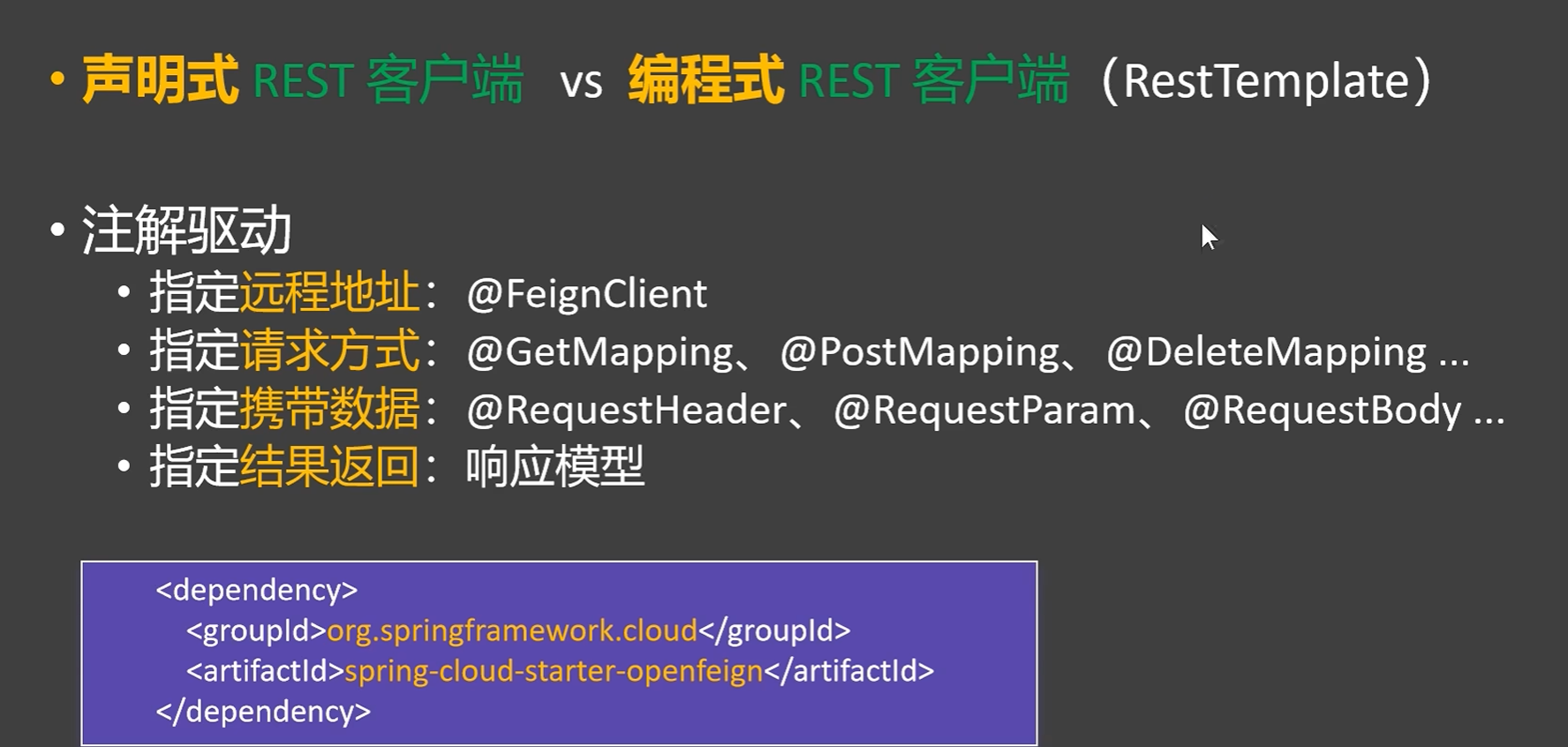
使用OpenFeign进行远程调用
向第三方微服务API发送请求
小Tips:向自己的业务API发送请求直接复制对方业务Controller层方法即可
前面使用的是restTemplate进行远程调用,但是使用restTemplate进行远程调用比较麻烦,这里我们使用OpenFeign改写代码
导入依赖,创建ProductFeignClient接口
1
2
3
4
|
        <dependency>
            <groupId>org.springframework.cloud</groupId>
            <artifactId>spring-cloud-starter-openfeign</artifactId>
        </dependency>
|
 1
 2
 3
 4
 5
 6
 7
 8
 9
10
11
12
13
14
15
16
17
|
restTemplate
package com.example.feign;

import com.example.bean.product;
import org.springframework.cloud.openfeign.FeignClient;
import org.springframework.web.bind.annotation.GetMapping;
import org.springframework.web.bind.annotation.PathVariable;

@FeignClient(value = "product-service")   //Feign客户端,指定要请求的服务名称
public interface ProductFeignClient {

    //MVC注解两套逻辑
    //标注在controller上,是接收http请求
    //标注在feign上,是用来发送http请求
    @GetMapping("/product/{productId}")   //指定远程服务接口
    product getProductById(@PathVariable("productId") Long productId);
}
|
将ProductFeignClient进行依赖注入
 1
 2
 3
 4
 5
 6
 7
 8
 9
10
11
12
13
14
15
16
17
18
19
20
|
    @Autowired
    ProductFeignClient productFeignClient;

    @Override
    public order CreateOrder(Long userId, Long productId) {
        order order = new order();
        //调用接口的方法发送请求
        product product = productFeignClient.getProductById(productId);
        //不需要自己在写getProductFromRemote2方法
        //product product = getProductFromRemote2(productId);
        order.setId(1L);
        //计算订单总金额
        order.setTotalAmount(product.getPrice().multiply(new BigDecimal("10")));
        order.setUserId(userId);
        order.setNikeName("zhangsan");
        order.setAddress("beijing");
        //远程查询商品信息,并设置到订单中
        order.setProductList(Arrays.asList(product));
        return order;
    }
|
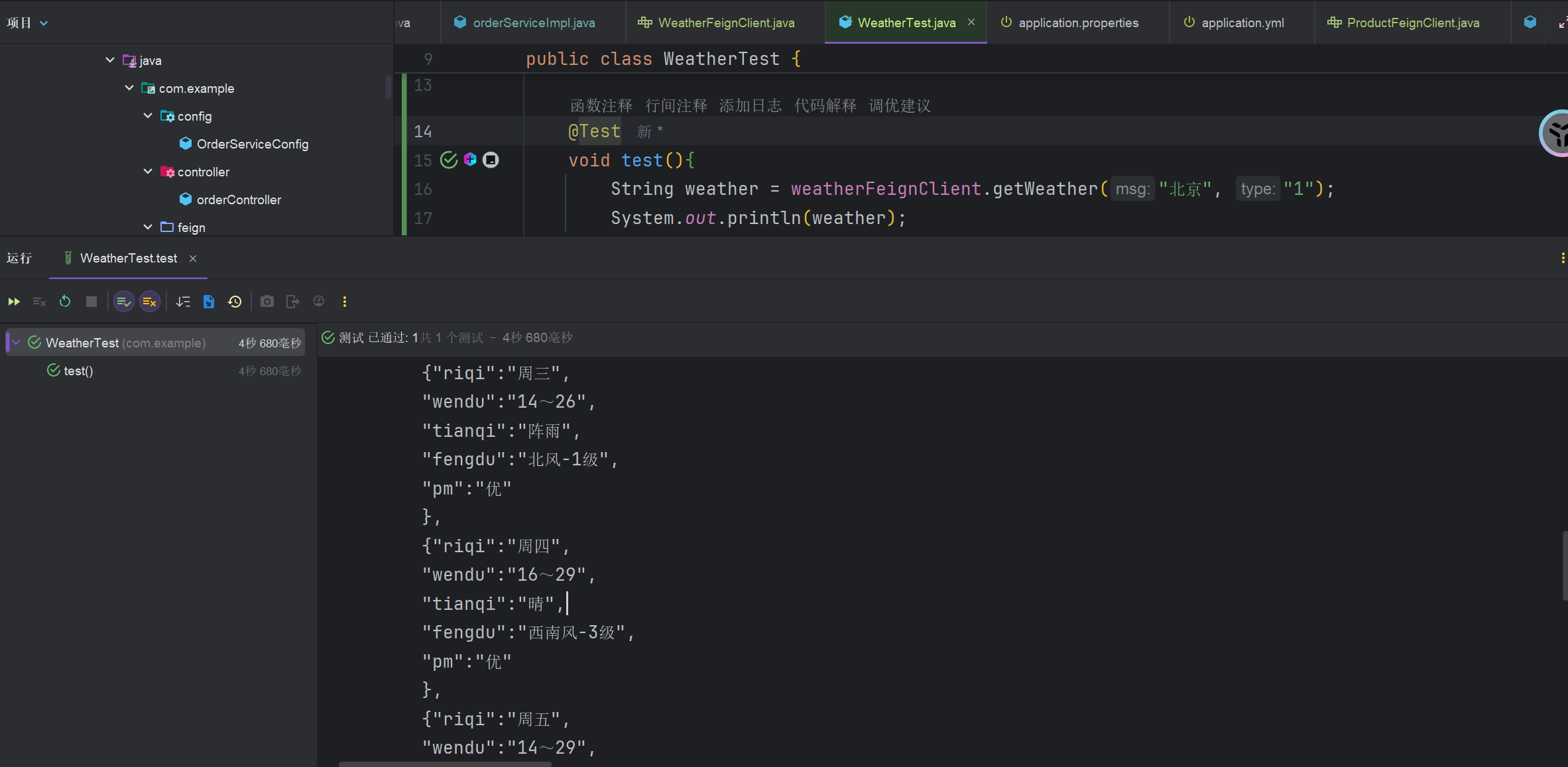
第三方API远程调用
比如我不需要像注册中心发请求,我想像第三方API发送请求,如:墨迹天气等等
使用FeignClient绑定第三方API的URL,根据对应请求方法发送对应请求
 1
 2
 3
 4
 5
 6
 7
 8
 9
10
11
12
13
14
15
|
package com.example.feign;

import org.springframework.cloud.openfeign.FeignClient;
import org.springframework.web.bind.annotation.GetMapping;
import org.springframework.web.bind.annotation.RequestParam;

//https://v.api.aa1.cn/api/api-tianqi-3/index.php?msg=%E5%A4%A9%E6%B4%A5&type=1
@FeignClient(value = "weather",url = "https://v.api.aa1.cn/api/api-tianqi-3/index.php")
public interface WeatherFeignClient {

    @GetMapping("/api/api-tianqi-3/index.php")
    String getWeather(@RequestParam("msg") String msg,
                    @RequestParam("type") String type);

}
|
 1
 2
 3
 4
 5
 6
 7
 8
 9
10
11
12
13
14
15
16
17
18
19
|
package com.example;

import com.example.feign.WeatherFeignClient;
import org.junit.jupiter.api.Test;
import org.springframework.beans.factory.annotation.Autowired;
import org.springframework.boot.test.context.SpringBootTest;

@SpringBootTest
public class WeatherTest {

    @Autowired
    WeatherFeignClient weatherFeignClient;

    @Test
    void test(){
        String weather = weatherFeignClient.getWeather("北京", "1");
        System.out.println(weather);
    }
}
|
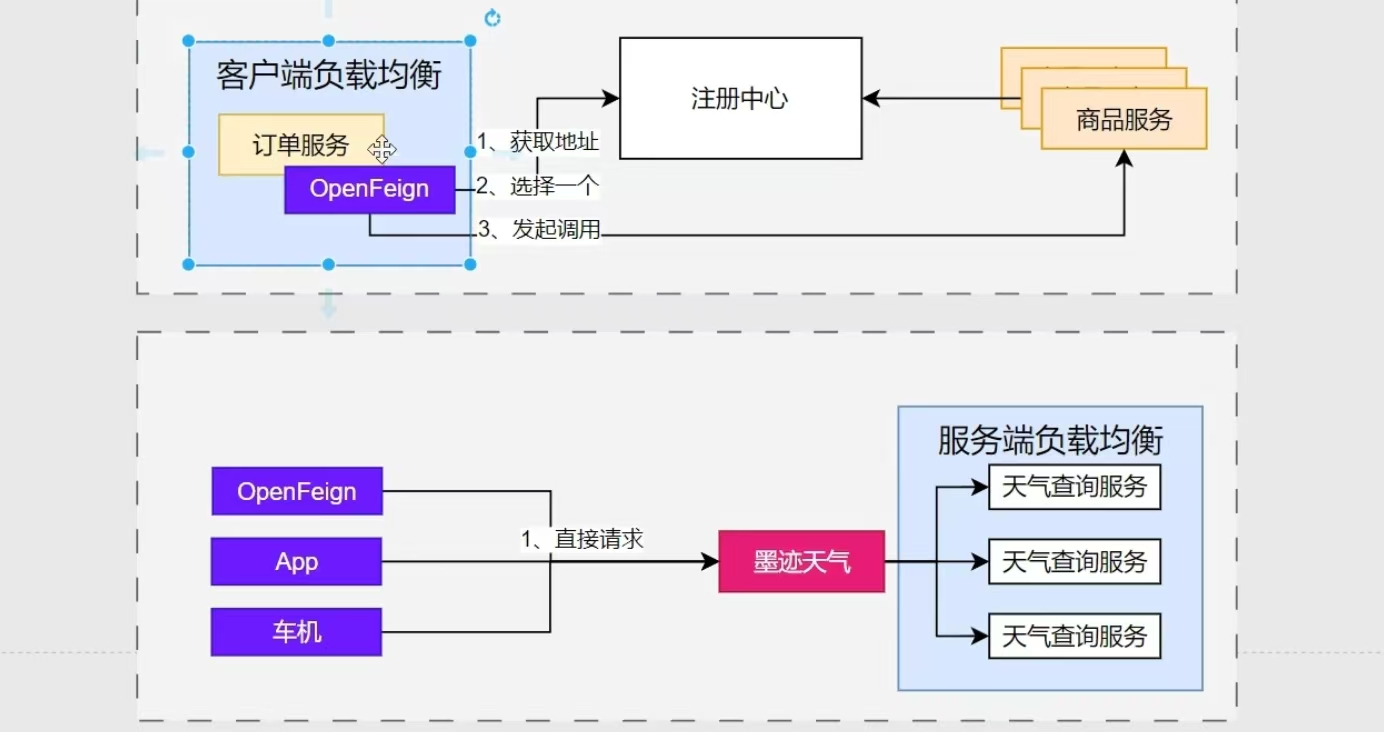
客户端负载均衡与服务端负载均衡?
OpenFeign进阶配置
开启请求日志功能
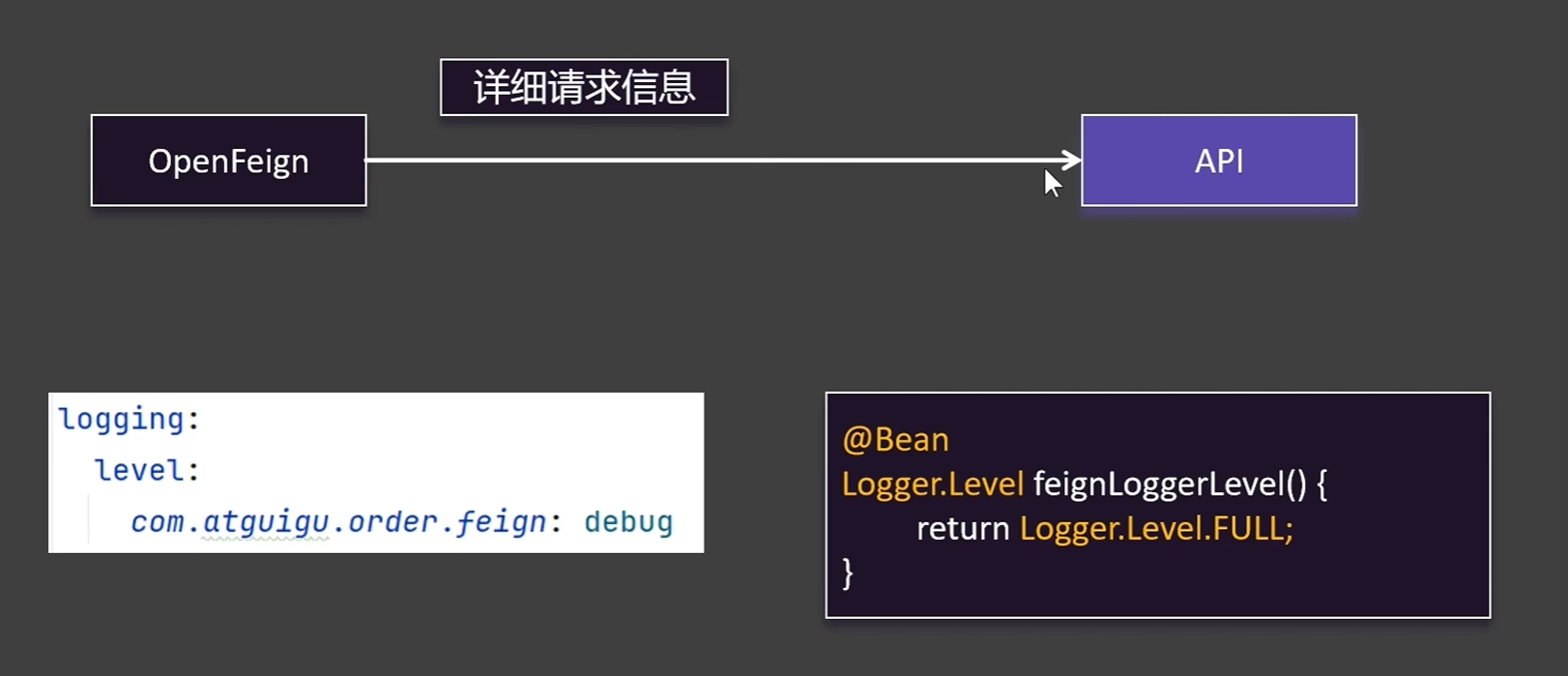
在yml配置文件中配置日志的范围
1
2
3
|
logging:
  level:
    com.example.feign: debug
|
在config配置类中配置一个Bean
1
2
3
4
|
    @Bean
    Logger.Level feignLoggerLevel() {
        return Logger.Level.FULL;
    }
|
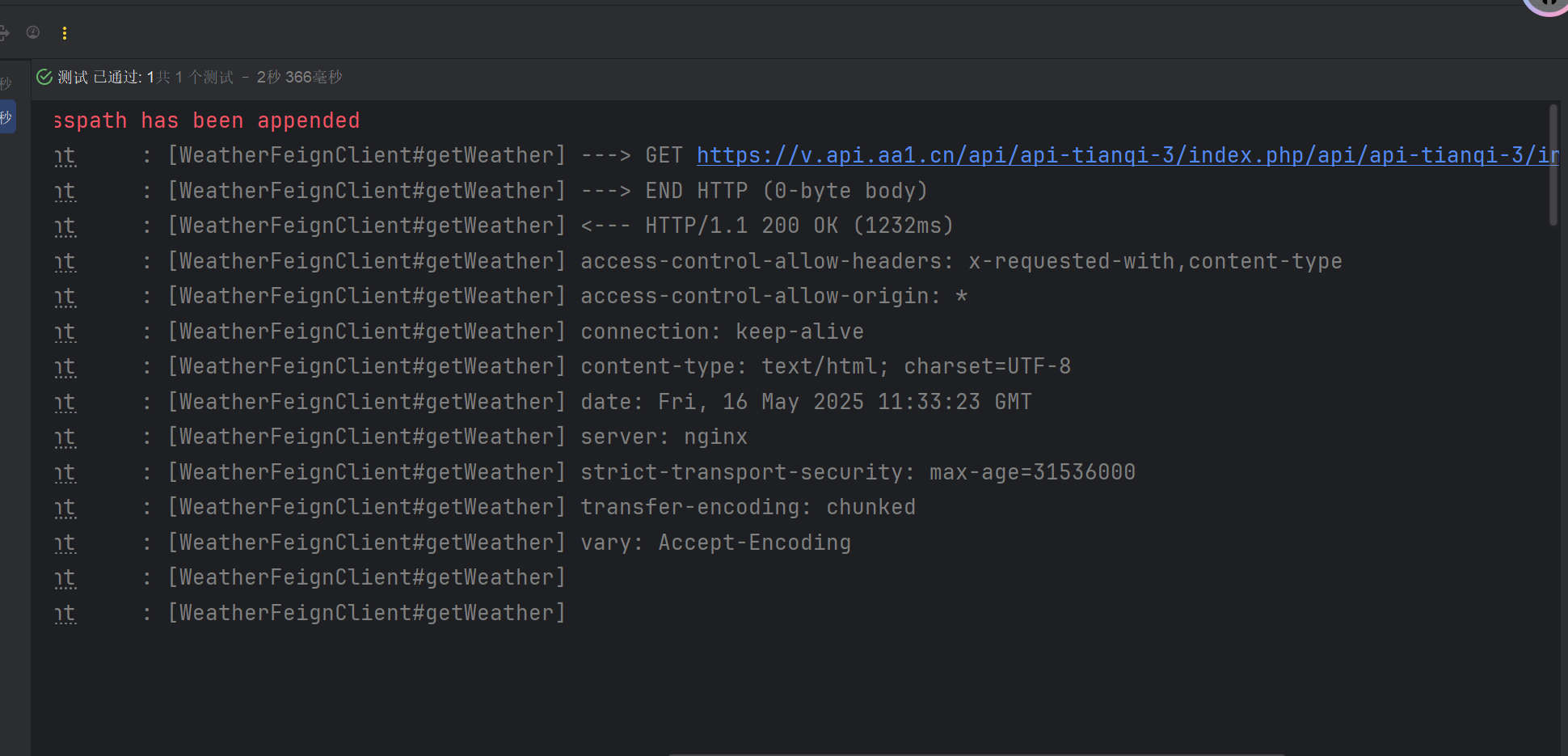
再次运行测试类,请求的详细信息(请求方法,路径,参数都会展示)
超时控制
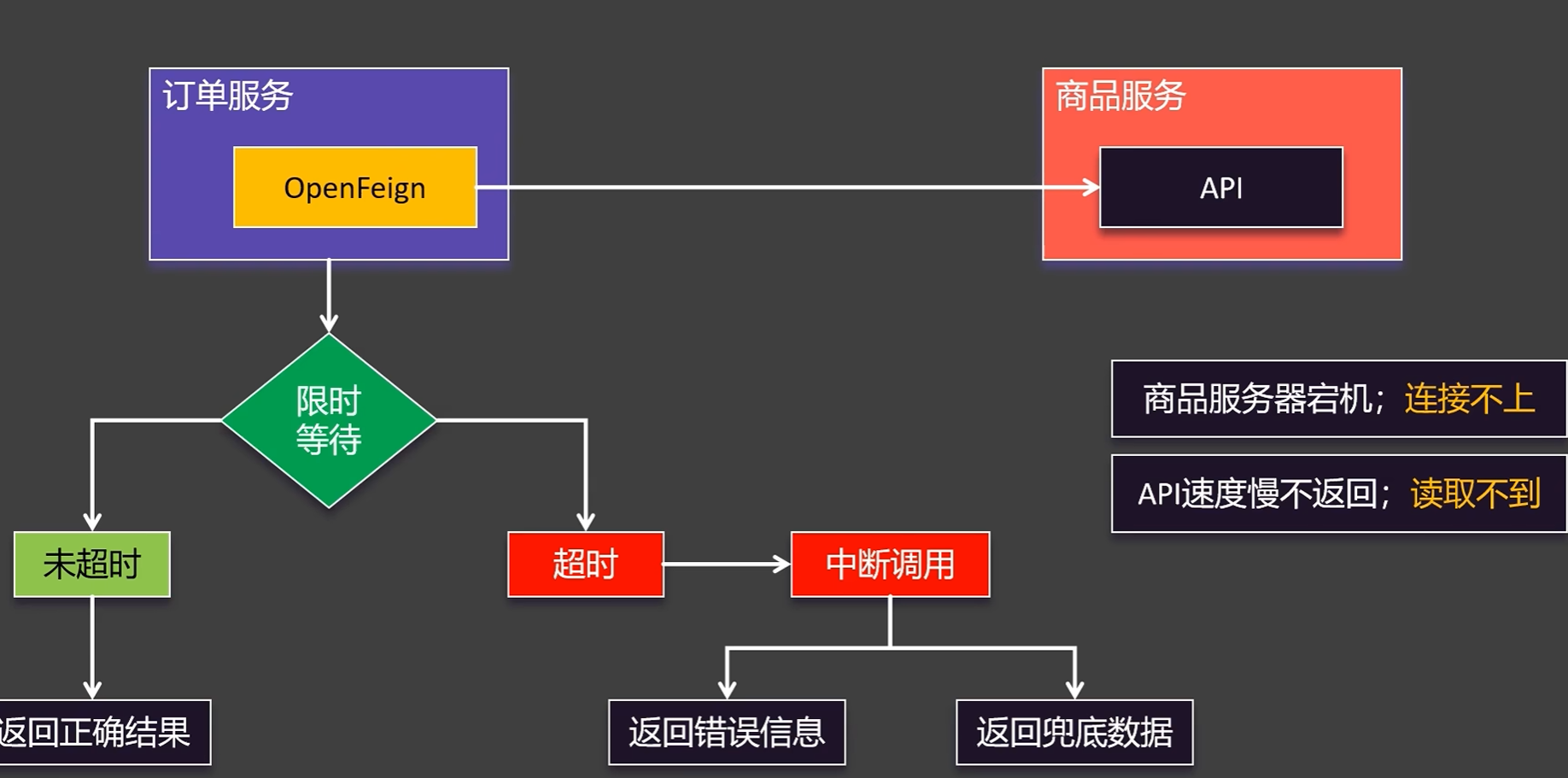
超时有两种超时,连接超时(默认10秒)和读取超时(默认60秒)
可以新创建一个配置文件,如果其它配置文件想要使用这个配置文件的话只需要引用即可
 1
 2
 3
 4
 5
 6
 7
 8
 9
10
11
12
13
|
spring:
  cloud:
    openfeign:
      client:
        config:
          product-service:                 #            只针对product-service服务的配置
            connect-timeout: 10000        #            连接超时时间
            read-timeout: 10000          #            读取超时时间
            logger-level: full          #            日志级别
          default:                         #            所有其它服务的默认配置
            connect-timeout: 20000        #            连接超时时间
            read-timeout: 30000          #            读取超时时间
            logger-level: full          #            日志级别
|
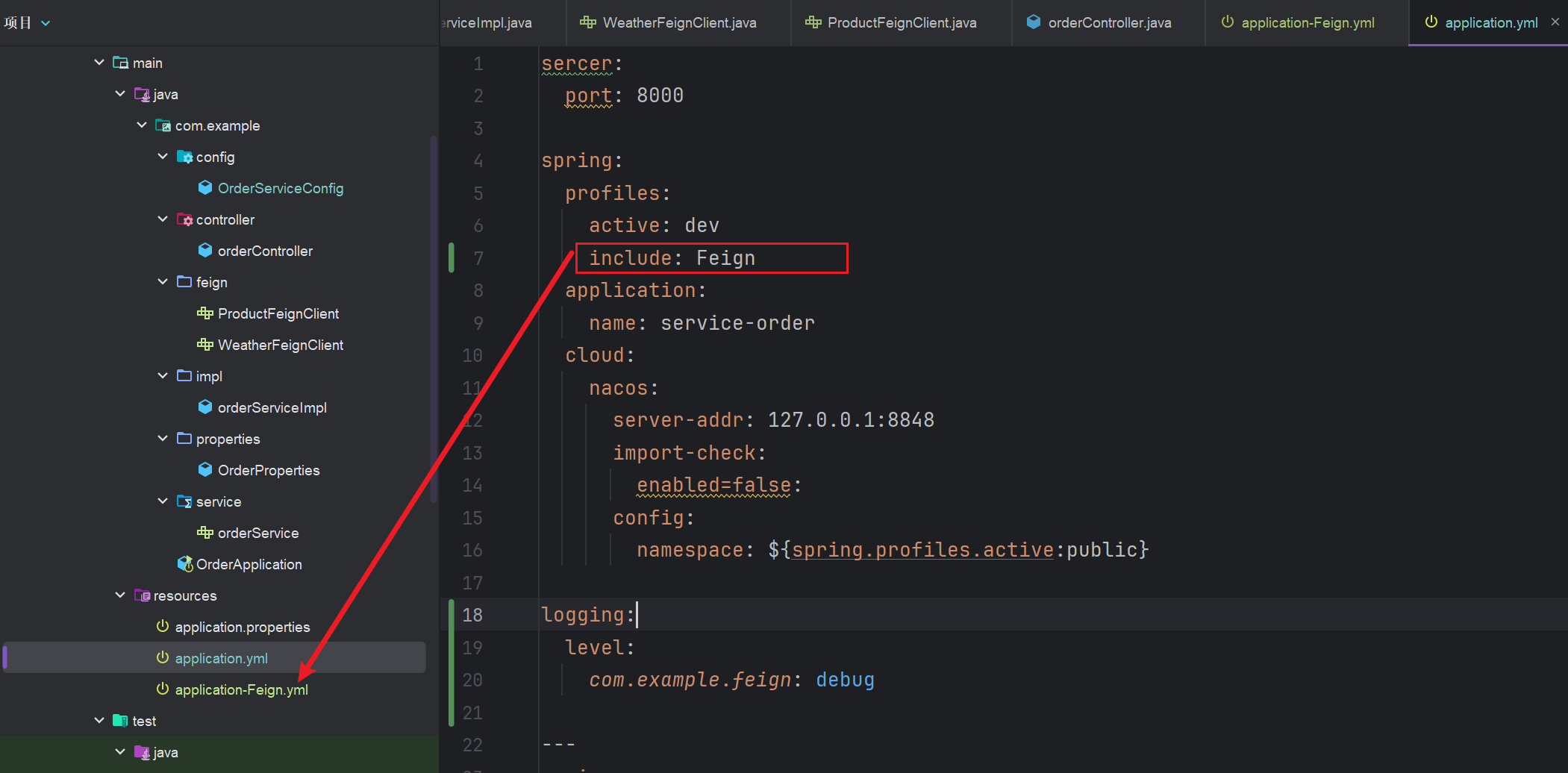
重试机制
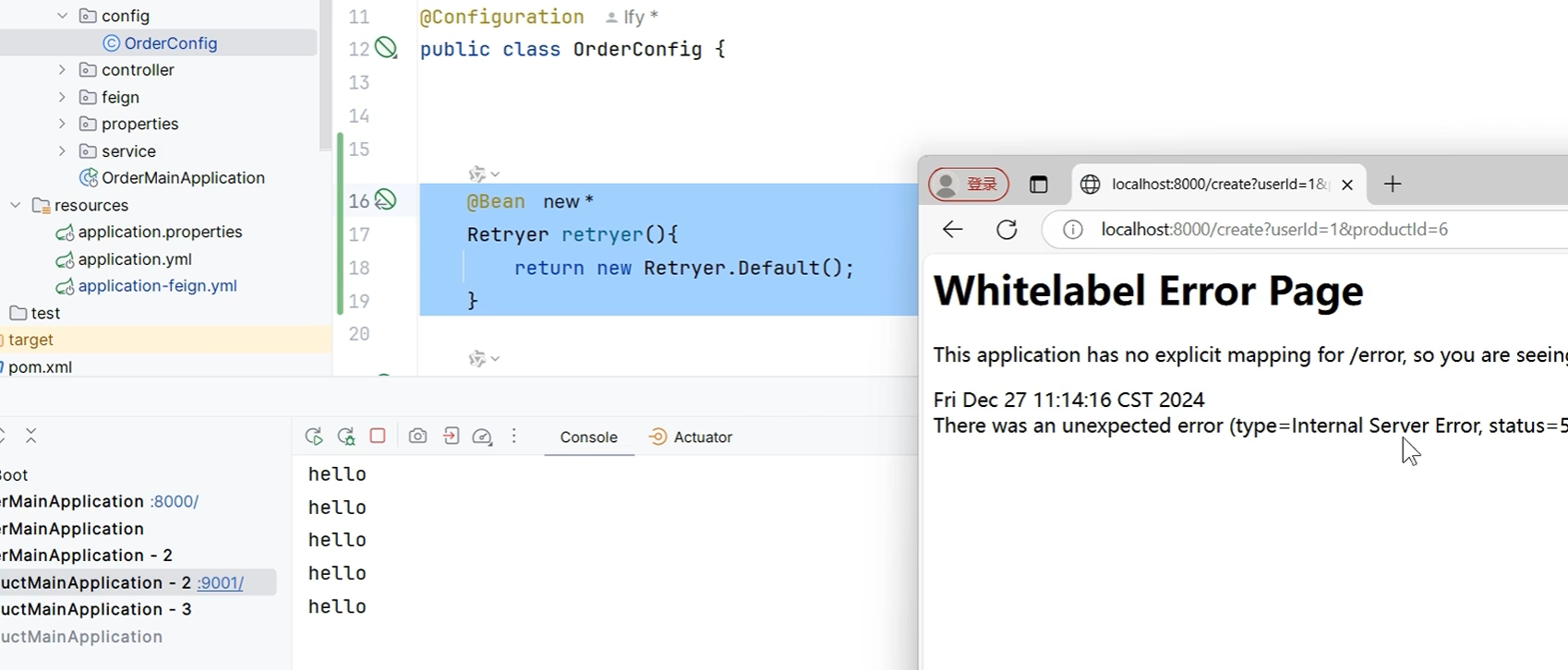
在config配置类中自定义一个重试器retryer,Spring提供默认的retryer,默认最大重试5次,每次最大间隔1秒
1
2
3
4
5
|
    @Bean
    Retryer retryer() {
        //最多重试3次,每次最大间隔10秒,最小间隔1秒
        return new Retryer.Default(1000, 10000, 3);
    }
|
拦截器
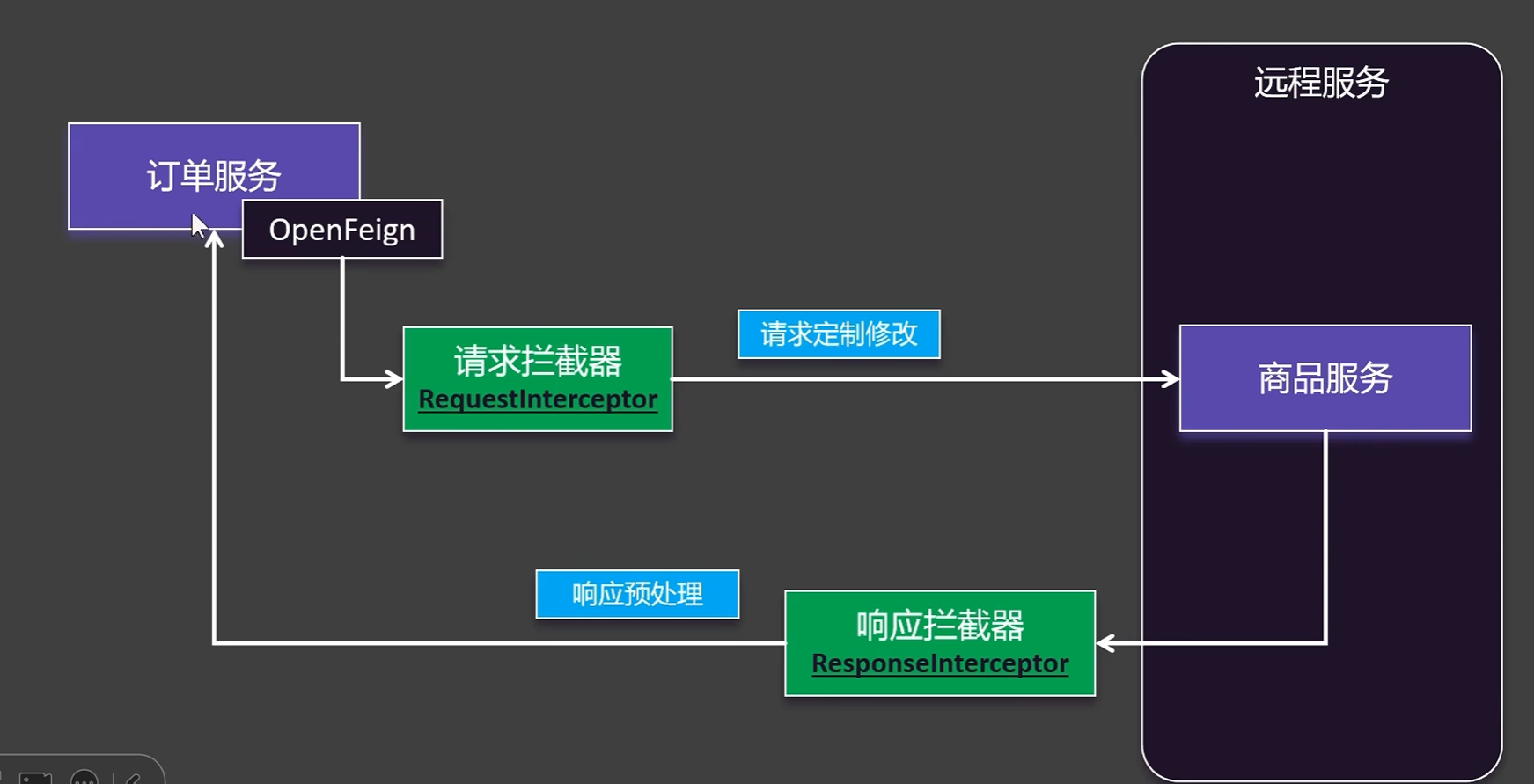
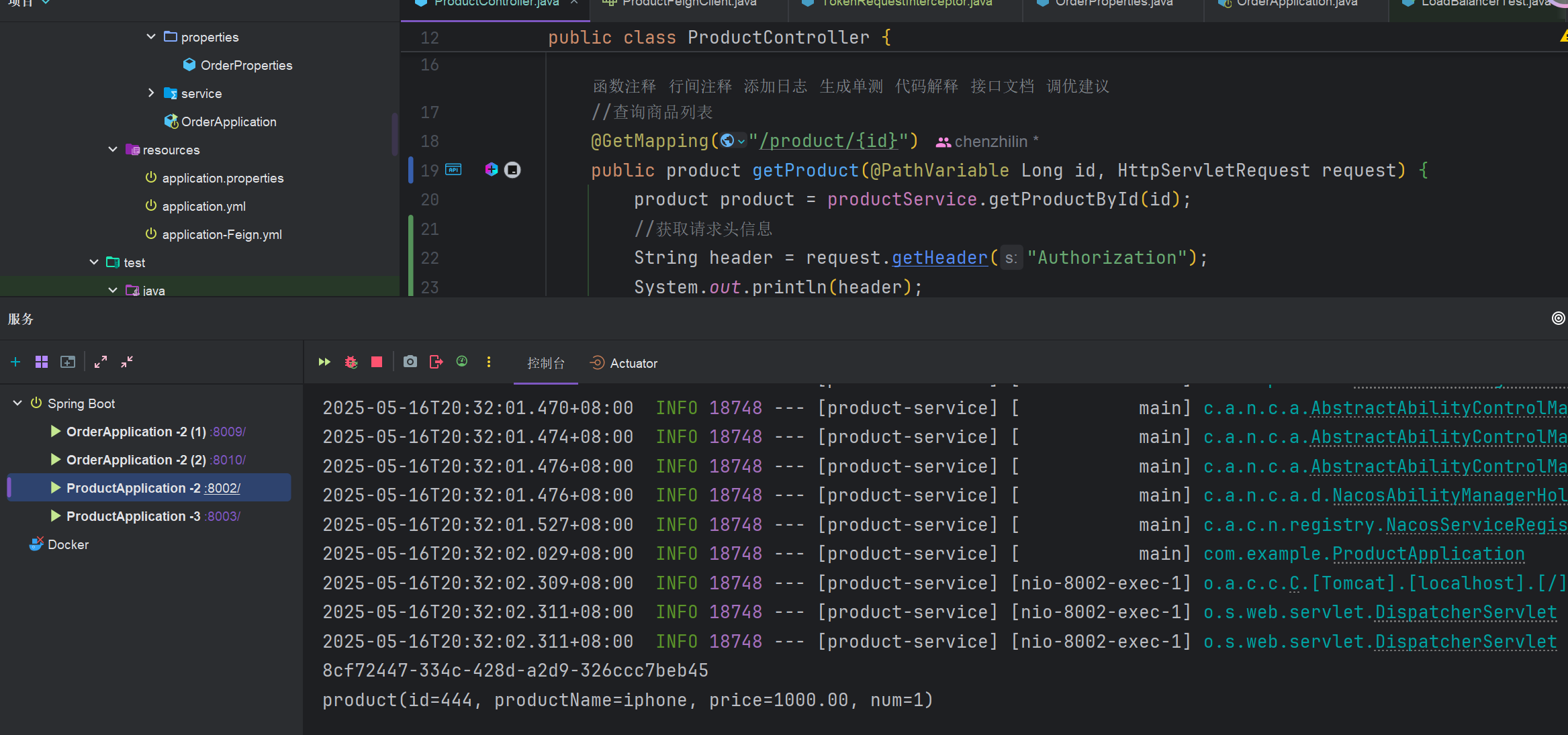
创建好后可以将这个拦截器在配置文件中声明也可以将它设置为Bean,自动调用拦截
 1
 2
 3
 4
 5
 6
 7
 8
 9
10
11
12
13
14
15
16
17
18
19
20
21
22
23
24
|
package com.example.interceptor;

import feign.RequestInterceptor;
import feign.RequestTemplate;
import org.springframework.stereotype.Component;

import java.util.UUID;

@Component
public class TokenRequestInterceptor implements RequestInterceptor {

    /*
    * 请求拦截器需要实现RequestInterceptor接口的apply方法
    * 该方法会在请求发送之前被调用
    * 可以在该方法中添加请求头、请求参数等
    * 这里我们可以通过RequestTemplate对象来添加请求头
    * 例如:requestTemplate.header("Authorization", "Bearer " + token);
    * */
    @Override
    public void apply(RequestTemplate requestTemplate) {
        System.out.println("拦截器执行了");
        requestTemplate.header("Authorization", UUID.randomUUID().toString());
    }
}
|
Fallback兜底返回
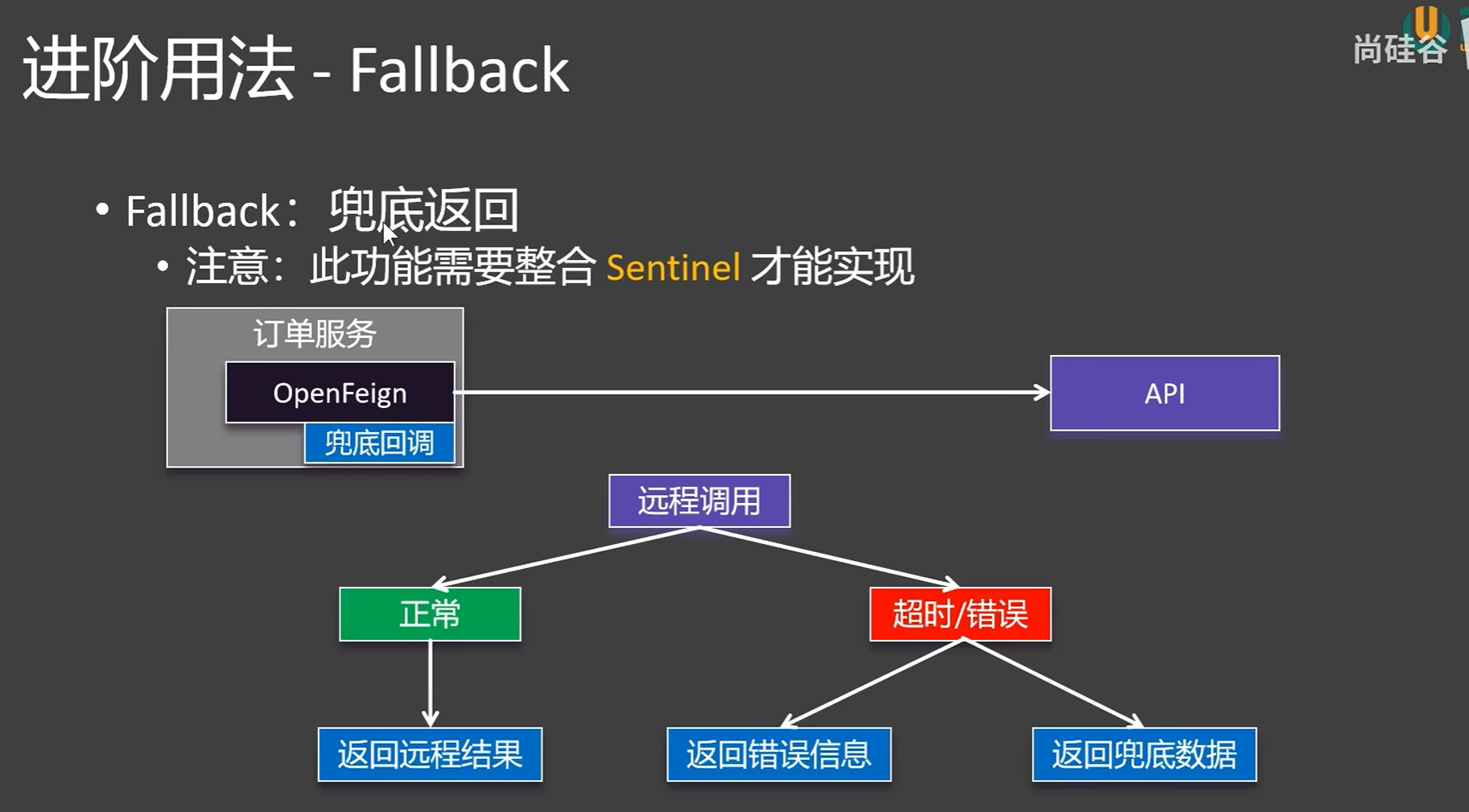
使用Fallback兜底返回机制需要引入sentinel依赖
1
2
3
4
|
        <dependency>
            <groupId>com.alibaba.cloud</groupId>
            <artifactId>spring-cloud-starter-alibaba-sentinel</artifactId>
        </dependency>
|
在配置文件中将feign.sentinel.enable设置为true
1
2
3
|
feign:
  sentinel:
    enabled: true                       #            开启feign对sentinel的支持
|
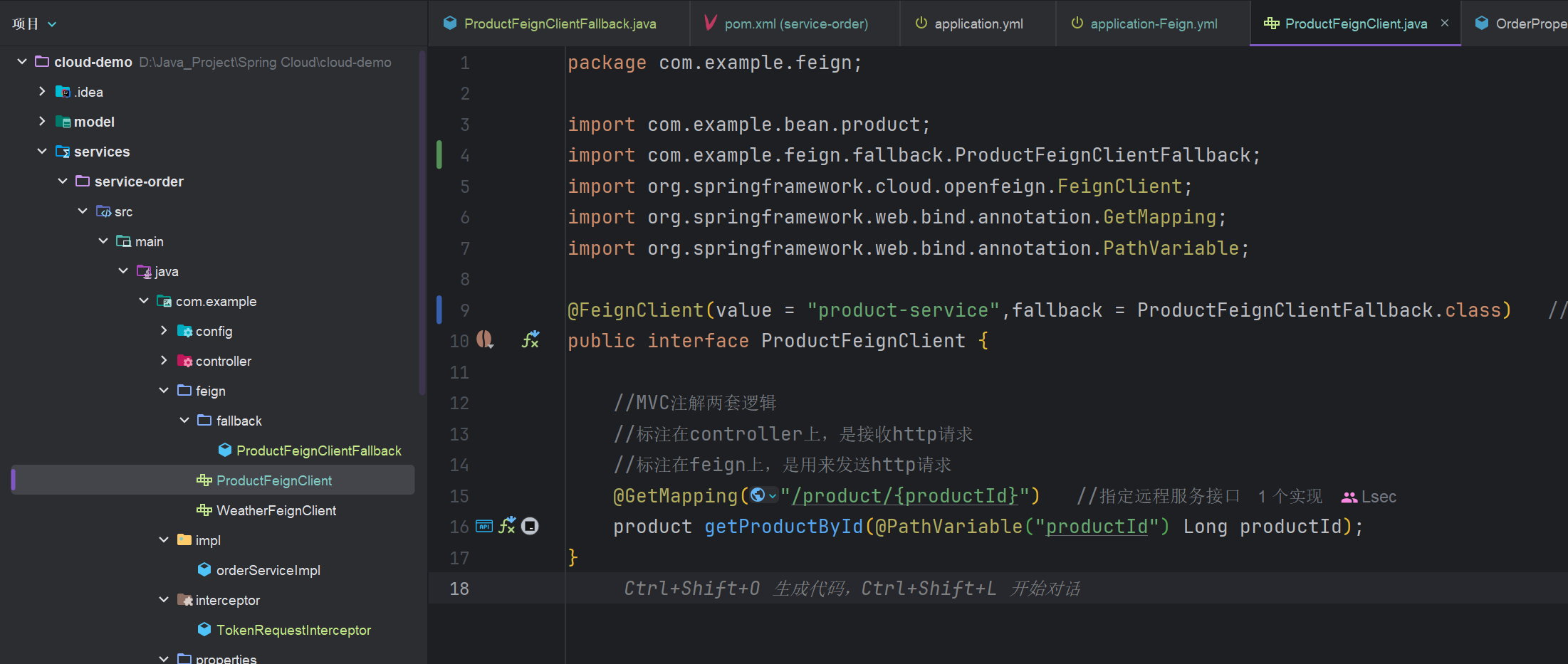
 1
 2
 3
 4
 5
 6
 7
 8
 9
10
11
12
13
14
15
16
17
18
19
20
21
|
package com.example.feign.fallback;

import com.example.bean.product;
import com.example.feign.ProductFeignClient;
import org.springframework.stereotype.Component;

import java.math.BigDecimal;

@Component
public class ProductFeignClientFallback implements ProductFeignClient {
    @Override
    public product getProductById(Long productId) {
        System.out.println("兜底回调");
        product product = new product();
        product.setId(productId);
        product.setProductName("兜底回调商品");
        product.setPrice(new BigDecimal("1000.00"));
        product.setNum(10);
        return product;
    }
}
|
如果正常请求无法完成请求,那么会走兜底回调方法,返回默认数据