1
2
3
4
5
6
7
8
9
10
11
12
13
14
15
16
17
18
19
20
21
22
23
24
25
26
27
28
29
30
31
32
33
34
35
36
37
38
39
40
41
42
43
44
45
46
47
48
49
50
51
52
53
54
55
56
57
58
59
60
61
62
63
64
65
66
67
68
69
70
71
72
73
74
75
76
77
78
79
80
81
82
83
84
85
86
87
88
89
90
91
92
93
94
95
96
97
98
99
100
101
102
103
104
105
106
107
108
109
110
111
112
113
114
115
116
117
118
119
120
121
122
123
124
125
126
127
128
129
130
131
132
133
134
135
136
137
138
139
140
141
142
143
144
145
146
147
148
149
150
151
152
153
154
155
156
157
158
159
160
161
162
163
164
165
166
167
168
169
170
171
172
173
174
|
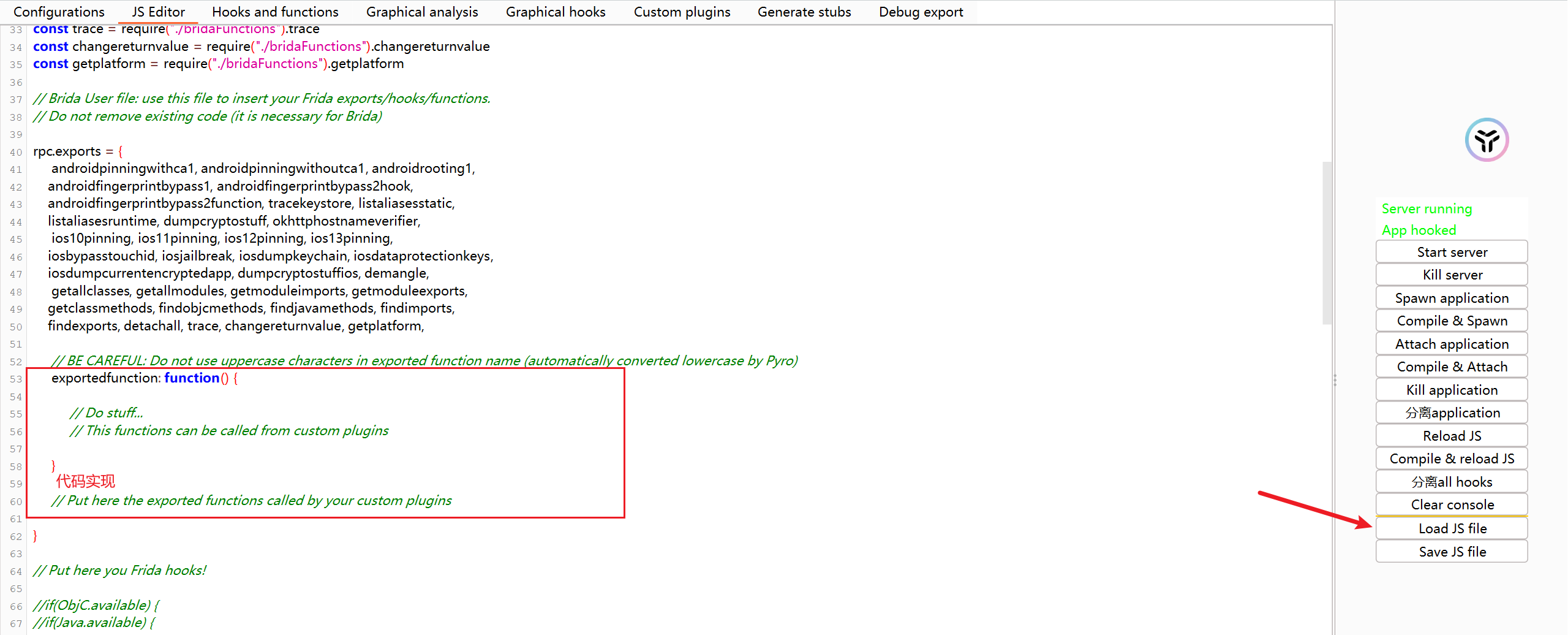
// brida.js —— 适用于你的 APP:AES + RSA 加密,Brida 兼容

// ========== 默认 Brida 导出(不要删除)==========
const androidpinningwithca1 = require("./androidDefaultHooks.js").androidpinningwithca1;
const androidpinningwithoutca1 = require("./androidDefaultHooks.js").androidpinningwithoutca1;
const androidrooting1 = require("./androidDefaultHooks.js").androidrooting1;
const androidfingerprintbypass1 = require("./androidDefaultHooks.js").androidfingerprintbypass1;
const androidfingerprintbypass2hook = require("./androidDefaultHooks.js").androidfingerprintbypass2hook;
const androidfingerprintbypass2function = require("./androidDefaultHooks.js").androidfingerprintbypass2function;
const tracekeystore = require("./androidDefaultHooks.js").tracekeystore;
const listaliasesstatic = require("./androidDefaultHooks.js").listaliasesstatic;
const listaliasesruntime = require("./androidDefaultHooks.js").listaliasesruntime;
const dumpcryptostuff = require("./androidDefaultHooks.js").dumpcryptostuff;
const okhttphostnameverifier = require("./androidDefaultHooks.js").okhttphostnameverifier;
const ios10pinning = require("./iosDefaultHooks.js").ios10pinning;
const ios11pinning = require("./iosDefaultHooks.js").ios11pinning;
const ios12pinning = require("./iosDefaultHooks.js").ios12pinning;
const ios13pinning = require("./iosDefaultHooks.js").ios13pinning;
const iosbypasstouchid = require("./iosDefaultHooks.js").iosbypasstouchid;
const iosjailbreak = require("./iosDefaultHooks.js").iosjailbreak;
const iosdumpkeychain = require("./iosDefaultHooks.js").iosdumpkeychain;
const iosdataprotectionkeys = require("./iosDefaultHooks.js").iosdataprotectionkeys;
const iosdumpcurrentencryptedapp = require("./iosDefaultHooks.js").iosdumpcurrentencryptedapp;
const dumpcryptostuffios = require("./iosDefaultHooks.js").dumpcryptostuffios;
const demangle = require("./iosDefaultHooks.js").demangle;
const getallclasses = require("./bridaFunctions").getallclasses;
const getallmodules = require("./bridaFunctions").getallmodules;
const getmoduleimports = require("./bridaFunctions").getmoduleimports;
const getmoduleexports = require("./bridaFunctions").getmoduleexports;
const getclassmethods = require("./bridaFunctions").getclassmethods;
const findobjcmethods = require("./bridaFunctions").findobjcmethods;
const findjavamethods = require("./bridaFunctions").findjavamethods;
const findimports = require("./bridaFunctions").findimports;
const findexports = require("./bridaFunctions").findexports;
const detachall = require("./bridaFunctions").detachall;
const trace = require("./bridaFunctions").trace;
const changereturnvalue = require("./bridaFunctions").changereturnvalue;
const getplatform = require("./bridaFunctions").getplatform;

// ========== 自定义加解密逻辑 ==========
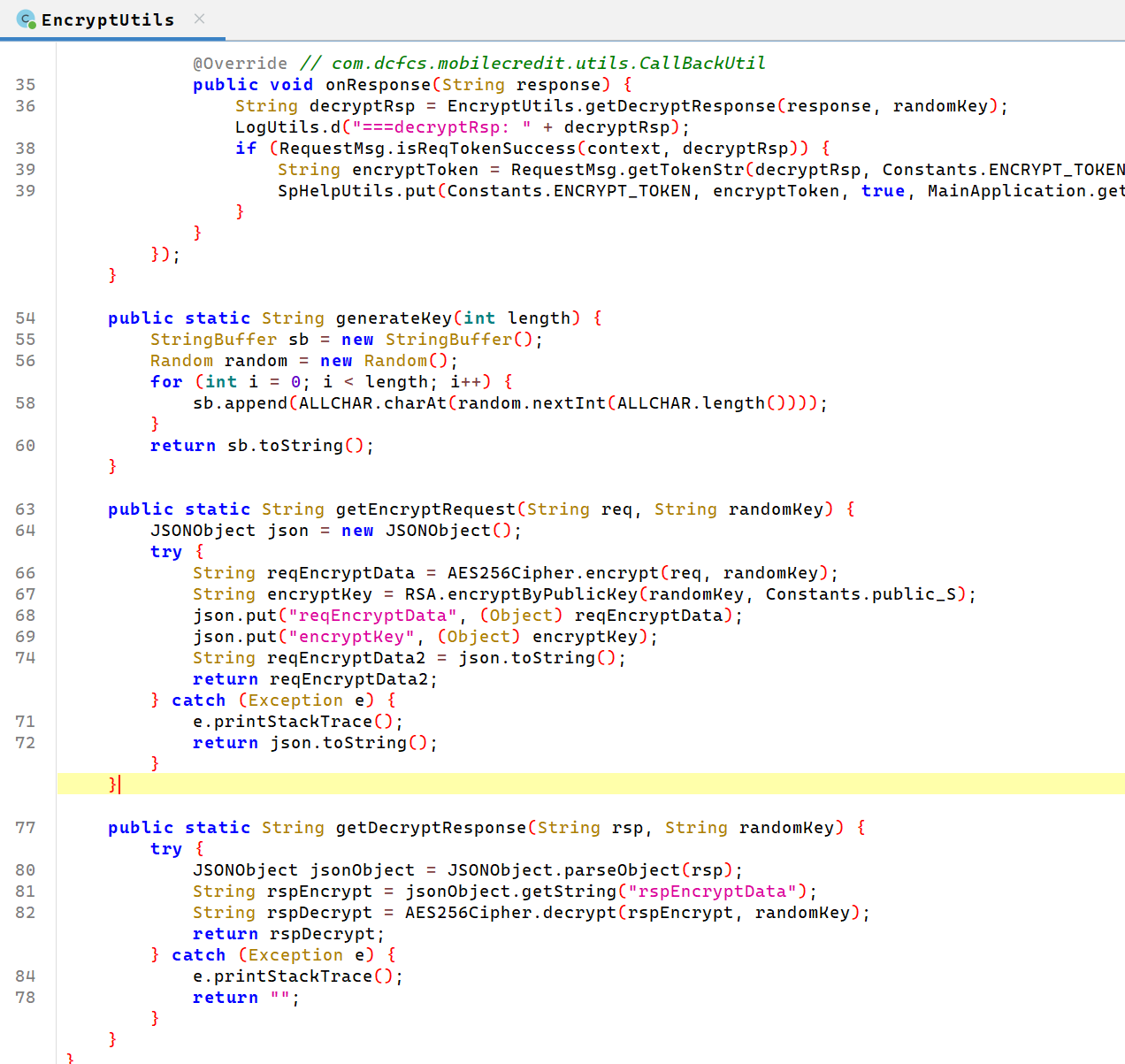
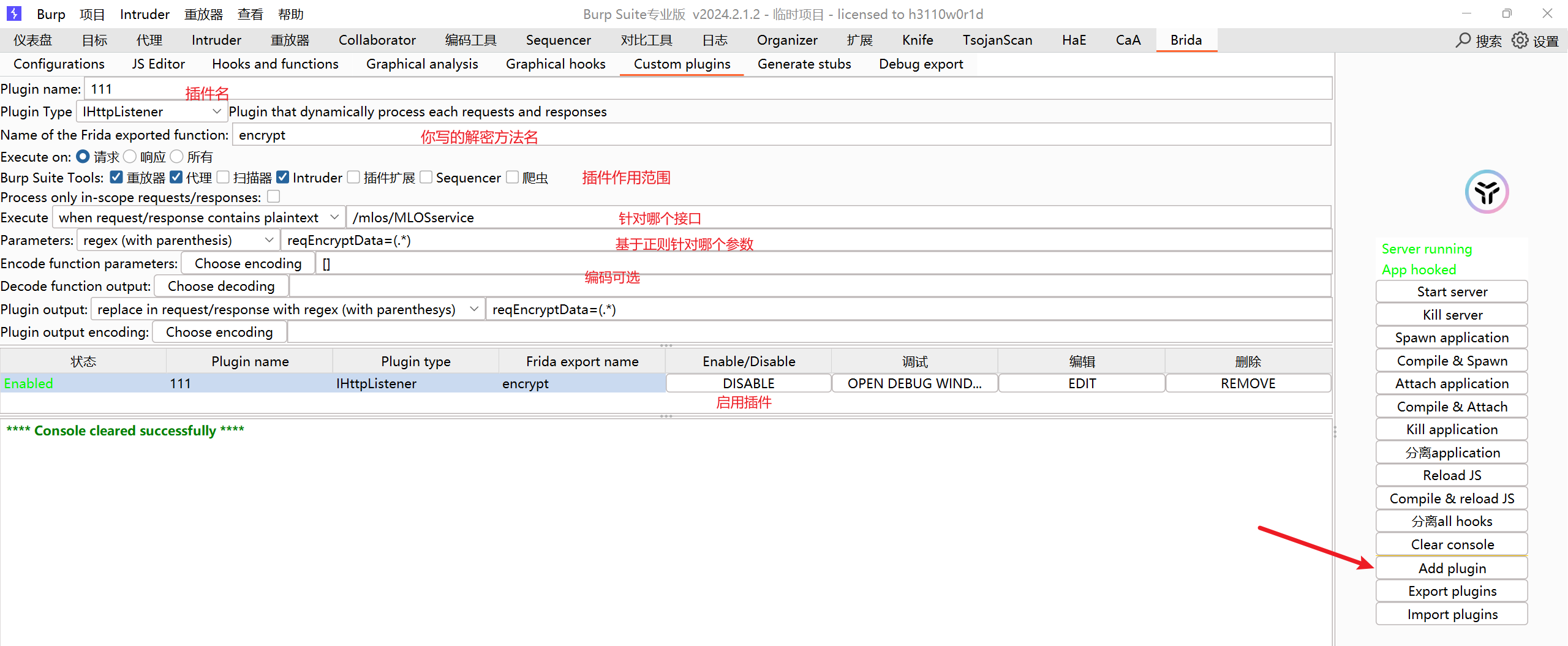
function encrypt(input) {
    let result = '{"error":"encrypt failed"}';
    Java.perform(() => {
        try {
            const EncryptUtils = Java.use("com.dcfcs.mobilecredit.utils.EncryptUtils");
            const ALLCHAR = "0123456789abcdefghijklmnopqrstuvwxyzABCDEFGHIJKLMNOPQRSTUVWXYZ";
            let randomKey = "";
            for (let i = 0; i < 32; i++) {
                randomKey += ALLCHAR.charAt(Math.floor(Math.random() * ALLCHAR.length));
            }

            console.log("[Brida] Encrypting with AES key: " + randomKey);
            console.log("[Brida] Plaintext request: " + input);

            result = EncryptUtils.getEncryptRequest(input, randomKey);
            console.log("[Brida] Encrypted payload: " + result);
        } catch (e) {
            console.log("[Brida] Encrypt error: " + e.toString());
            result = '{"error":"encrypt exception"}';
        }
    });
    return result;
}

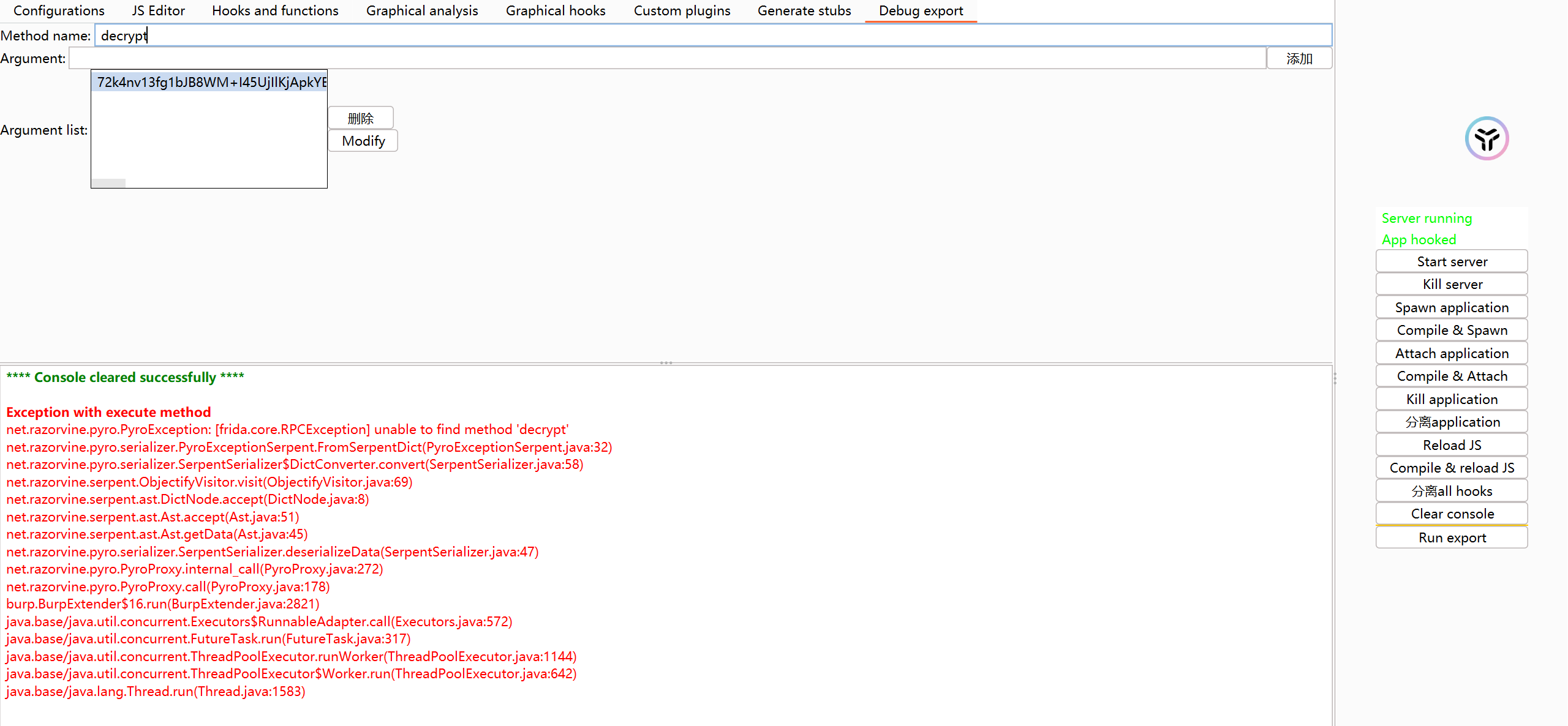
function decrypt(input) {
    // 响应无法主动解密(因 AES key 被 RSA 加密且无私钥)
    // 建议:通过 Hook 查看明文(见下方)
    console.log("[Brida] Received for decryption (passive only): " + input);
    return input; // 返回原样,避免 Burp 报错
}

// ========== Hook 原始方法(被动监控明文)==========
Java.perform(() => {
    const EncryptUtils = Java.use("com.dcfcs.mobilecredit.utils.EncryptUtils");

    // Hook 请求加密
    EncryptUtils.getEncryptRequest.overload('java.lang.String', 'java.lang.String').implementation = function (req, randomKey) {
        console.log("\n[+] Hook - Original Request: " + req);
        console.log("[+] Hook - AES Key: " + randomKey);
        const res = this.getEncryptRequest(req, randomKey);
        console.log("[+] Hook - Encrypted Payload: " + res + "\n");
        return res;
    };

    // Hook 响应解密
    EncryptUtils.getDecryptResponse.overload('java.lang.String', 'java.lang.String').implementation = function (encryptedRsp, randomKey) {
        console.log("\n[+] Hook - Encrypted Response: " + encryptedRsp);
        const res = this.getDecryptResponse(encryptedRsp, randomKey);
        console.log("[+] Hook - Decrypted Response: " + res + "\n");
        return res;
    };
});

// ========== 导出给 Brida 使用(必须小写!)==========
rpc.exports = {
    // 默认 Brida 功能(不要删)
    androidpinningwithca1, androidpinningwithoutca1, androidrooting1,
    androidfingerprintbypass1, androidfingerprintbypass2hook,
    androidfingerprintbypass2function, tracekeystore, listaliasesstatic,
    listaliasesruntime, dumpcryptostuff, okhttphostnameverifier,
    ios10pinning, ios11pinning, ios12pinning, ios13pinning,
    iosbypasstouchid, iosjailbreak, iosdumpkeychain, iosdataprotectionkeys,
    iosdumpcurrentencryptedapp, dumpcryptostuffios, demangle,
    getallclasses, getallmodules, getmoduleimports, getmoduleexports,
    getclassmethods, findobjcmethods, findjavamethods, findimports,
    findexports, detachall, trace, changereturnvalue, getplatform,

    // ✅ 关键:你的加解密函数(小写!)
    encrypt: encrypt,
    decrypt: decrypt,

    // 可选保留
    exportedfunction: function() {}
};

// ========== 辅助函数(保留以兼容)==========
function hexToBytes(hex) {
    for (var bytes = [], c = 0; c < hex.length; c += 2)
        bytes.push(parseInt(hex.substr(c, 2), 16));
    return bytes;
}

function stringToHex(str) {
    return str.split("").map(function(c) {
        return ("0" + c.charCodeAt(0).toString(16)).slice(-2);
    }).join("");
}

function hexToString(hexStr) {
    var hex = hexStr.toString();
    var str = '';
    for (var i = 0; i < hex.length; i += 2)
        str += String.fromCharCode(parseInt(hex.substr(i, 2), 16));
    return str;
}

function bytesToHex(bytes) {
    for (var hex = [], i = 0; i < bytes.length; i++) {
        hex.push((bytes[i] >>> 4).toString(16));
        hex.push((bytes[i] & 0xF).toString(16));
    }
    return hex.join("");
}

function base64ArrayBuffer(arrayBuffer) {
    var base64 = '';
    var encodings = 'ABCDEFGHIJKLMNOPQRSTUVWXYZabcdefghijklmnopqrstuvwxyz0123456789+/';
    var bytes = new Uint8Array(arrayBuffer);
    var byteLength = bytes.byteLength;
    var byteRemainder = byteLength % 3;
    var mainLength = byteLength - byteRemainder;
    var a, b, c, d, chunk;
    for (var i = 0; i < mainLength; i = i + 3) {
        chunk = (bytes[i] << 16) | (bytes[i + 1] << 8) | bytes[i + 2];
        a = (chunk & 16515072) >> 18;
        b = (chunk & 258048) >> 12;
        c = (chunk & 4032) >> 6;
        d = chunk & 63;
        base64 += encodings[a] + encodings[b] + encodings[c] + encodings[d];
    }
    if (byteRemainder == 1) {
        chunk = bytes[mainLength];
        a = (chunk & 252) >> 2;
        b = (chunk & 3) << 4;
        base64 += encodings[a] + encodings[b] + '==';
    } else if (byteRemainder == 2) {
        chunk = (bytes[mainLength] << 8) | bytes[mainLength + 1];
        a = (chunk & 64512) >> 10;
        b = (chunk & 1008) >> 4;
        c = (chunk & 15) << 2;
        base64 += encodings[a] + encodings[b] + encodings[c] + '=';
    }
    return base64;
}
|